Tools

Tools

Tools

Best AI Help Desk Software for 2025: Top Tools & Guide

Dec 31, 2025

Dec 31, 2025

19 min read

19 min read

/ / / / / / / /

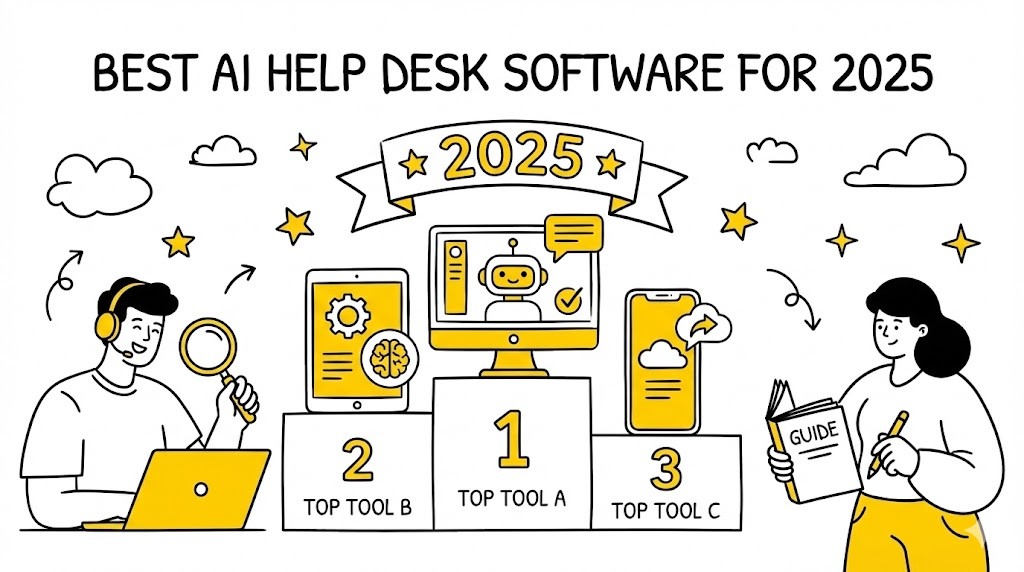
AI help desk software is transforming customer support. With the rise of generative AI, automation, and advanced analytics, businesses can now deliver faster, smarter, and more personalised support than ever before. But with so many options on the market, how do you choose the right solution for your team?

This comprehensive 2025 guide covers everything you need to know: what AI help desk software is, its key benefits, must-have features, the top 10 tools, and practical advice for selection and implementation. Whether you’re a CX leader, IT manager, or support team lead, you’ll find actionable insights and frameworks to future-proof your support operations.


TL;DR

• AI help desk software automates ticketing, chat, and support workflows using AI and NLP.

• Key benefits: faster response times, 24/7 support, cost savings, and higher customer satisfaction.

• Must-have features: AI chatbots, automated routing, sentiment analysis, omnichannel support, and analytics.

• Top tools for 2025 include Zendesk AI, Freshdesk with Freddy AI, Zoho Desk, Intercom, and more.

• Success depends on clear needs assessment, integration, agent training, and ongoing optimisation.


What Is AI Help Desk Software?

AI help desk software is a digital platform that leverages artificial intelligence to automate and enhance customer support processes. Unlike traditional help desks, which rely heavily on manual ticket management and agent intervention, AI-powered solutions use machine learning, natural language processing (NLP), and automation to streamline support workflows.


How AI Help Desk Software Differs from Traditional Help Desks

• Automation: AI systems can automatically categorise, prioritise, and route tickets to the right agent or department, reducing manual workload and human error. For example, urgent password reset requests are instantly pushed to front-line teams while routine billing queries are queued for asynchronous follow-up. (Source: Gartner, 2025: https://www.gartner.com/en/information-technology/glossary/help-desk)

• Natural Language Processing (NLP): AI chatbots and virtual assistants understand and respond to customer queries in natural, everyday language, providing instant and contextually relevant answers. This enables support in multiple languages and can handle even nuanced queries.

• Self-Service: AI can power intelligent knowledge bases, proactively suggesting articles or next steps based on customer intent and past behaviors. For example, as a user types “reset password,” the system auto-suggests the correct guide before the user even submits their question.

• Predictive Analytics: AI analyses trends and historical ticket data to forecast spikes in incident volume (such as after a new product launch), enabling pre-emptive agent scheduling and tailored communications to mitigate issues before they escalate.


Core Capabilities

• Automated ticket creation and routing, reducing handling time per case.

• AI-powered chatbots for instant support across multiple touchpoints.

• Sentiment and intent analysis to detect dissatisfaction or urgency in real time.

• 24/7 support availability—AI never sleeps or calls in sick.

• Integration with multiple channels (email, chat, social media) so interactions remain unified.

• Continuous learning and improvement from interactions—AI models get smarter with more data.

AI help desk software is not just about replacing human agents. Instead, it augments their capabilities, allowing teams to focus on complex, high-value interactions while automating repetitive tasks (Source: IBM, 2024: https://www.ibm.com/topics/ai-customer-service). This dynamic blend of AI efficiency and human empathy is at the heart of next-generation customer experience.


Key Benefits of AI Help Desk Software

Adopting AI help desk software delivers tangible benefits for both businesses and customers. Here are the most significant advantages:


(1) Faster Response Times

AI chatbots and automated workflows provide instant responses to common queries, reducing wait times and improving first-contact resolution rates. For example, customers requesting an order update or password reset receive immediate replies, smoothing peaks in ticket volume without sacrificing service quality (Source: Zendesk, 2024: https://www.zendesk.com/blog/ai-help-desk/).


(2) 24/7 Support Availability

AI-powered systems operate around the clock, ensuring customers receive assistance outside of traditional business hours—critical for global businesses and digital-first brands. This means users from different time zones or those requiring after-hours help are supported seamlessly.


(3) Reduced Operational Costs

By automating repetitive tasks and handling high volumes of simple queries, AI help desk software reduces the need for large support teams, leading to significant cost savings (Source: Forrester, 2024: https://www.forrester.com/report/the-top-10-ai-powered-service-desk-vendors/RES177010). Operational budgets can be redirected from staffing for basic inquiries to investing in customer experience innovation.


(4) Improved Agent Productivity

AI assists agents by suggesting responses, surfacing relevant knowledge base articles, and automating ticket categorisation. This allows agents to focus on complex or sensitive issues, increasing morale and reducing burnout. Checklists, prompts, and “next best action” suggestions boost average handling speed and consistency.


(5) Enhanced Customer Satisfaction

Faster, more accurate responses and personalised support journeys lead to higher CSAT and NPS scores (Source: CX Network, 2024: https://www.cxnetwork.com/cx-experience/articles/ai-in-customer-service). AI tools can also capture customer feedback in the flow, providing real-time pulse checks and improvement opportunities.


(6) Data-Driven Insights

AI analytics provide actionable insights into customer behaviour, support trends, and agent performance, enabling continuous improvement. AI detects surges in product complaints, recurring pain points, and identifies top-performing agents—fueling smarter coaching and process improvement.


Checklist: AI Help Desk Benefits Assessment

• Are response times under 1 minute for common queries?

• Is support available 24/7 across all channels, without drop in quality?

• Have support costs decreased year-over-year, factoring in both agent FTEs and technology investment?

• Are agents spending less time on repetitive tasks like password resets or delivery status checks?

• Has customer satisfaction (CSAT, NPS, CES) improved post-implementation?

• Are you leveraging analytics for continuous improvement—do you regularly adjust workflows based on AI insights?

If you answer ‘no’ to several of these, your AI help desk project may benefit from deeper integration, process reengineering, or enhanced agent enablement.


Essential Features to Look For in AI Help Desk Solutions

Choosing the right AI help desk software means focusing on features that drive efficiency, scalability, and customer satisfaction. Here are the must-have capabilities for 2025:


(1) AI Chatbots & Virtual Assistants

• Handle FAQs, troubleshoot issues, and escalate complex cases efficiently.

• Use NLP to understand customer intent, context, and sentiment, often supporting multiple languages out of the box. Example: When a user types “refund for damaged order,” the bot collects evidence, triggers the workflow, and only escalates if exceptions arise (Source: Intercom, 2024: https://www.intercom.com/blog/articles/ai-customer-support/).

• Some solutions allow easy no-code customization of bot logic.


(2) Automated Ticketing & Routing

• Automatically create, assign, and prioritise tickets based on urgency, topic, or expressed emotion.

• Example: System tags tickets marked “urgent” and routes them to specialist teams with relevant skills, improving SLA adherence.


(3) Sentiment & Intent Analysis

• AI analyses customer language to detect frustration (“angry,” “very upset”) versus routine needs.

• Tickets are dynamically reprioritised or surfaced to managers if a VIP is at risk of churn.


(4) Knowledge Base Integration

• Suggest relevant help articles or solutions from your documentation automatically when new tickets arrive.

• Supports self-service portals where AI recommends content based on browsing patterns to deflect incoming volume.


(5) Omnichannel Support

• Seamlessly manage queries from email, chat, social media, phone, WhatsApp, SMS, and even emerging channels like voice bots in a single workspace.

• Context is preserved; a conversation started via social media can continue on web chat or phone without the customer repeating information.


(6) Analytics & Reporting

• Real-time dashboards on ticket and conversation volume, average handle time, self-service deflection rate, and CSAT.

• Trend forecasts help you plan staffing, content, or product improvements proactively.


(7) Integrations & API Access

• Deep connectivity with CRM (Salesforce, HubSpot), e-commerce (Shopify, Magento), and internal tools.

• Enables automated workflows—e.g., triggering refunds, updating order status, or escalating based on customer loyalty tier.


(8) Security & Compliance

• SOC 2, ISO, GDPR compliance as requirements—not luxuries.

• Features like data masking, role-based access control, and detailed audit logs.

• For BPOs and enterprise environments, consider multi-tenant security and segregation of client data.


Framework: AI Help Desk Feature Prioritisation

(1) List your top 5 support pain points. E.g., long response times, inconsistent answers, high agent turnover, lack of real-time visibility, language support gaps.

(2) Map each pain point to a feature (e.g., slow response → AI chatbot; inconsistent answers → knowledge base integration).

(3) Score features by potential impact (1–5) and feasibility (1–5), based on your environment and available resources.

(4) Prioritise features with the highest combined impact/feasibility scores.

(5) Validate with a trial or pilot before full rollout. Use real business data and run side-by-side comparisons with legacy workflows.


Top 10 AI Help Desk Software Tools for 2025

Below are the leading AI help desk solutions for 2025, each with a summary, standout features, pricing, pros and cons, ideal use cases, and a link to their official site.

(1) Zendesk AI

Overview:

Zendesk AI is a robust, enterprise-grade help desk platform with advanced AI features for automation, analytics, and omnichannel support.

Standout Features:

• AI-powered ticket triage and intent detection

• Generative AI for automated responses

• Deep knowledge base integration

• Omnichannel support (email, chat, social, voice)

• Customisable workflows

Pricing:

Starts at $55/agent/month (AI add-ons extra).

Pros:

• Scalable for large teams

• Extensive integrations

• Strong analytics

Cons:

• Higher cost for advanced AI features

• Learning curve for customisation

Ideal For:

Enterprises and fast-growing support teams handling high volumes across multiple channels and seeking powerful workflow automation.

Official site: https://www.zendesk.com/


(2) Freshdesk with Freddy AI

Overview:

Freshdesk, by Freshworks, integrates Freddy AI to automate ticketing, suggest responses, and power chatbots.

Standout Features:

• Freddy AI chatbot and agent assist

• Automated ticket categorisation

• Sentiment analysis

• Self-service portal

• SLA management

Pricing:

From $18/agent/month (AI features in higher tiers).

Pros:

• User-friendly interface

• Affordable for SMBs

• Strong automation

Cons:

• Some AI features require premium plans

• Limited customisation for complex workflows

Ideal For:

SMBs and mid-market companies looking for quick time-to-value and approachable AI.

Official site: https://www.freshworks.com/freshdesk/


(3) Zoho Desk

Overview:

Zoho Desk offers AI-powered support with Zia, its virtual assistant, and deep integration with the Zoho ecosystem.

Standout Features:

• Zia AI for ticket analysis and suggestions

• Automated ticket assignment

• Multichannel support

• Contextual knowledge base

• Customisable dashboards

Pricing:

Starts at $14/agent/month (AI in Professional plan and above).

Pros:

• Affordable

• Seamless with Zoho apps

• Good for automation

Cons:

• Best for existing Zoho users

• Limited third-party integrations

Ideal For:

SMBs, especially those using Zoho CRM and other Zoho business apps for end-to-end customer operations.

Official site: https://www.zoho.com/desk/


(4) Intercom

Overview:

Intercom is known for its conversational support platform, leveraging AI for chatbots, automation, and customer engagement.

Standout Features:

• Fin AI chatbot for instant answers

• Automated workflows and routing

• Proactive messaging

• In-app support

• Custom bots and integrations

Pricing:

From $39/seat/month (AI features in higher plans).

Pros:

• Excellent chatbot experience

• Modern UI

• Strong engagement tools

Cons:

• Pricing can scale quickly

• Some features require technical setup

Ideal For:

SaaS companies and digital-first brands wanting dynamic support and product engagement.

Official site: https://www.intercom.com/


(5) Salesforce Service Cloud Einstein

Overview:

Salesforce Service Cloud Einstein brings AI to the world’s leading CRM, automating support and providing predictive insights.

Standout Features:

• Einstein AI for case classification and routing

• Predictive analytics

• Knowledge article recommendations

• Omnichannel support

• Deep CRM integration

Pricing:

Starts at $25/user/month (AI features in higher tiers).

Pros:

• Powerful analytics

• Customisable workflows

• Enterprise-grade security

Cons:

• Complex setup

• Higher total cost for full AI suite

Ideal For:

Large enterprises and Salesforce users with complex, multi-department requirements.

Official site: https://www.salesforce.com/products/service-cloud/features/einstein-ai/


(6) Help Scout

Overview:

Help Scout is a simple, customer-centric help desk with AI features for automation and self-service.

Standout Features:

• AI-powered suggestions for agents

• Automated workflows

• Shared inbox

• Knowledge base integration

• Reporting and analytics

Pricing:

From $20/user/month.

Pros:

• Easy to use

• Great for small teams

• Transparent pricing

Cons:

• Limited advanced AI features

• Fewer integrations than competitors

Ideal For:

Startups and small support teams seeking simplicity and quick onboarding.

Official site: https://www.helpscout.com/


(7) Tidio

Overview:

Tidio combines live chat, AI chatbots, and help desk features for real-time customer support.

Standout Features:

• AI chatbot builder

• Multichannel inbox

• Automated responses

• Visitor tracking

• Integration with e-commerce platforms

Pricing:

Free plan available; paid from $29/month.

Pros:

• Quick setup

• Affordable

• Good for e-commerce

Cons:

• Limited ticketing features

• AI best for simple use cases

Ideal For:

E-commerce stores and small businesses focused on conversion and pre-sale support.

Official site: https://www.tidio.com/


(8) HappyFox

Overview:

HappyFox offers a comprehensive help desk with AI automation for ticketing, workflows, and reporting.

Standout Features:

• AI-powered ticket assignment

• Smart rules and automation

• Knowledge base

• SLA management

• Custom reports

Pricing:

From $29/agent/month.

Pros:

• Flexible automation

• Good reporting

• Scalable

Cons:

• No free plan

• Some features require higher tiers

Ideal For:

Mid-sized businesses and IT support teams needing robust workflow automation and reporting.

Official site: https://www.happyfox.com/


(9) SysAid

Overview:

SysAid is an ITSM platform with AI features for ticket automation, self-service, and analytics.

Standout Features:

• AI ticket categorisation

• Self-service portal

• Workflow automation

• IT asset management

• Reporting dashboards

Pricing:

Custom pricing (contact sales).

Pros:

• Strong ITSM capabilities

• Customisable workflows

• Good for IT support

Cons:

• Interface can be dated

• Best for IT, not general CX

Ideal For:

IT departments and MSPs managing internal requests and asset lifecycles.

Official site: https://www.sysaid.com/


(10) Jira Service Management

Overview:

Jira Service Management by Atlassian integrates AI for IT and business service desks, focusing on automation and collaboration.

Standout Features:

• AI-powered ticket triage

• Automation rules

• Knowledge base integration (Confluence)

• Incident management

• Customisable workflows

Pricing:

From $21/agent/month.

Pros:

• Deep integration with Atlassian tools

• Flexible automation

• Scalable for large teams

Cons:

• Learning curve for new users

• Some AI features are new

Ideal For:

IT, DevOps, and enterprise service desks requiring alignment with software development and incident management processes.

Official site: https://www.atlassian.com/software/jira/service-management


How to Choose the Right AI Help Desk Software for Your Business

Selecting the best AI help desk solution requires a structured approach. Here’s a step-by-step guide:


(1) Assess Your Support Needs

• Identify your main customer touchpoints—email, live chat, phone, self-service, social, or all of the above.

• Estimate your average and peak ticket volumes, as well as typical request complexity and preferred language support.

• Determine whether your focus is external customer service, internal ITSM, or hybrid BPO scenarios.

(2) Define Must-Have Features

• Create a matrix mapping high-impact pain points (long wait times, low CSAT, knowledge silos) to AI features (bots, analytics, omnichannel, compliance).

• Engage your front-line staff to validate the actual root causes of ticket escalations or bottlenecks.

(3) Evaluate Scalability

• Gauge platform capacity for agent growth, surge handling, and future expansion into new geographies.

• Check for support of cross-team collaboration (e.g., IT and product support in a single workspace).

(4) Check Integrations

• Catalogue your CRM, order management, HR, and collaboration tools to ensure smooth integration.

• Consider API openness and middleware support, especially for enterprise or multi-client environments.

(5) Consider Budget & ROI

• Compare per agent vs. per ticket vs. enterprise-wide licensing and any recurring data, AI model, or integration costs.

• Factor in potential savings by automating X% of tier-1 requests, reducing agent churn, or deflecting tickets through self-service.

(6) Review Security & Compliance

• Audit data and privacy compliance requirements for your industry and region.

• Confirm support for encrypted communications, single sign-on, and access logging.

(7) Trial & Pilot

• Take advantage of free trials and run a “parallel pilot” alongside your legacy solution.

• Track baseline metrics (average handle time, FCR, CSAT) before and after the pilot.

• Collect structured feedback from end users and agents to identify workflow frustrations and gaps.


Checklist: AI Help Desk Selection

• Support needs documented

• Feature list prioritised and mapped to business value

• Scalability requirements defined, including future growth and language needs

• Integration needs mapped, with proof-of-concept where possible

• Budget and ROI calculated based on hard and soft benefits

• Security/compliance checked, including alignment with company standards

• Trial/pilot completed with stakeholder feedback gathered


Implementation Best Practices & Common Challenges

Rolling out AI help desk software is a strategic project. Here’s how to ensure success and avoid common pitfalls:

Best Practices

(1) Stakeholder Alignment: Bring IT, support, CX leaders, and key front-line agents into early discussions. Joint planning avoids missed requirements and resistance later on.

(2) Change Management: Communicate benefits, socialize use-cases, and address job-security concerns to build buy-in. For example, share evidence that AI lets agents focus on more meaningful and skill-building work.

(3) Agent Training: Provide hands-on training, simulation exercises, and ongoing AI coaching (Smart Role’s approach). Use realistic ticket scenarios, role-plays, and shadowing to move from theory to confident real-world action.

(4) Phased Rollout: Launch with a pilot group or department, collect metrics and lessons learned, then expand in stages. Adjust knowledge base articles, workflows, and escalation logic as weaknesses are revealed.

(5) Monitor & Optimise: Leverage real-time analytics, perform regular QA, and solicit user feedback. Use these insights to refine automation rules, retrain AI models, and fix content or routing gaps.

Implementation Tip: Form a “champion group” of agents who help drive adoption, translate business goals into practical workflows, and coach peers on best practices.


Common Challenges

• Resistance to Change: Agents may fear job loss or distrust AI. Proactively retrain and upskill staff, using simulation-based learning and demonstrating benefits with pilot results.

• Data Quality: AI relies on high-quality, well-classified data. Prioritize data cleansing and integrate disparate sources before migration.

• Integration Complexity: Legacy tools may lack modern APIs; plan for custom connectors or phased dual-stack operation.

• Privacy & Compliance: Work with legal/compliance early to adapt policies, adjust user consent flows, and ensure regulatory alignment—especially for BPOs serving clients in different jurisdictions.


Real-World Use Cases & Success Stories

Case Study 1: E-Commerce Brand Reduces Response Times by 60%

A global e-commerce retailer implemented Zendesk AI to automate ticket triage and deploy chatbots for order tracking. Result: average response times dropped from 12 hours to under 5 minutes, and CSAT improved by 18% (Source: Zendesk, 2024: https://www.zendesk.com/blog/ai-help-desk/).

Practical Framework:

• Map high-volume ticket types (e.g., “where is my order?”)

• Develop chat flows and auto-responses for these categories

• Routinely review conversation logs to train AI on new edge cases


Case Study 2: BPO Upskills Agents with AI Simulation Training

A leading BPO used Smart Role’s AI-powered simulation training to prepare agents for new AI help desk workflows. Agents reported higher confidence, and error rates in ticket handling decreased by 30% within three months.

Practical Steps:

• Launch a pre-deployment simulation lab using anonymized data

• Use scenario-based assessments to pinpoint skill gaps

• Offer continuous AI coaching using real interaction logs


Case Study 3: SaaS Startup Scales Support with Intercom

A SaaS company adopted Intercom’s Fin AI chatbot to handle onboarding and technical FAQs. The bot resolved 40% of tickets autonomously, freeing agents to focus on complex issues (Source: Intercom, 2024: https://www.intercom.com/blog/articles/ai-customer-support/).

Checklist for SaaS Rollout:

• Identify top FAQ and onboarding scenarios

• Pilot bot flows alongside live agents to measure containment

• Promote upgraded agent roles for handling customer escalations


The Future of AI in Help Desk Support

AI in help desk support is evolving rapidly. Key trends for 2025 and beyond include:

• Generative AI: Large language models generate personalised responses, rewrite knowledge articles in the customer’s own words, and proactively suggest next steps as conversations evolve.

• Hyperautomation: End-to-end workflow automation—tickets are not just triaged, but resolved autonomously where possible. Integrated RPA (robotic process automation) handles tasks like refunds, order tracking updates, and account changes.

• Predictive Analytics: AI predicts not just support trends, but customer satisfaction dips and churn triggers, enabling “next best action” suggestions and real-time campaign launches.

• Human-AI Collaboration: AI handles repetitive questions and process enforcement; agents focus on creative problem solving, relationship management, and delivering empathy.

• Continuous Learning: AI models improve through post-incident analysis, QA feedback, and simulation-based upskilling, resulting in lower error rates and richer FAQ content.

• Voice & Multilingual AI: Advanced voicebots and real-time translation open new channels and geographies at scale.

Smart Role sees simulation training and AI coaching as essential for preparing agents to thrive alongside AI, ensuring both technology and people deliver exceptional support.


Related reading

• Future of AI in Help Desk Support — https://smartrole.ai/articles/future-of-ai-in-help-desk-support

• Benefits of AI in Customer Service — https://smartrole.ai/articles/benefits-of-ai-in-customer-service

• Top AI-Powered Service Desk Vendors in 2025 — https://smartrole.ai/articles/top-ai-powered-service-desk-vendors-in-2025

• Agent Training in the Age of AI — https://smartrole.ai/articles/agent-training-in-the-age-of-ai

• AI Chatbots and Their Role in Customer Support — https://smartrole.ai/articles/ai-chatbots-and-their-role-in-customer-support

• Choosing the Right AI Tools for Your Business — https://smartrole.ai/articles/choosing-the-right-ai-tools-for-your-business

• Integrating AI in Your Customer Service Strategy — https://smartrole.ai/articles/how-to-integrate-ai-in-your-customer-service-strategy

• Impact of AI on Customer Satisfaction — https://smartrole.ai/articles/impact-of-ai-on-customer-satisfaction


FAQ

What is AI help desk software and how does it work?

AI help desk software uses artificial intelligence to automate ticket routing, provide instant responses, and assist agents, improving support efficiency (Source: IBM, 2024: https://www.ibm.com/topics/ai-customer-service).

Can AI help desk tools fully replace human agents?

No. While AI can automate many tasks, human agents are still essential for complex or sensitive issues requiring empathy and judgment (Source: Helpjuice, 2024: https://www.helpjuice.com/blog/ai-help-desk).

What are the main benefits of using AI in help desk support?

Benefits include faster response times, 24/7 availability, reduced costs, improved agent productivity, and enhanced customer satisfaction (Source: CX Network, 2024: https://www.cxnetwork.com/cx-experience/articles/ai-in-customer-service).

How do I choose the best AI help desk software for my company?

Assess your business needs, required features, integration options, scalability, budget, and trial leading solutions before deciding (see checklist above).


Conclusion & Next Steps

AI help desk software is now a must-have for modern support teams. The right solution can transform your customer experience, reduce costs, and empower agents to deliver their best work. Start by assessing your needs, prioritising features, and trialling top platforms like Zendesk AI, Freshdesk, or Intercom. For teams looking to maximise ROI, invest in agent training and QA automation to ensure a smooth transition and ongoing success.

Ready to future-proof your support operations? Explore simulation training and AI coaching with Smart Role to unlock your team’s full potential.


About the author

Thibaut Martin is the COO at Smart Role, specialising in AI training for support agents and BPOs. With prior leadership roles at Google and Otrium overseeing customer experience, Thibaut brings over a decade of expertise in CX strategy, digital transformation, and AI-driven support solutions. Smart Role is a SOC 2 Type 2 and ISO certified company, trusted by leading enterprises to deliver secure, effective AI-powered training and QA automation.


Sources

• Gartner, 2025: https://www.gartner.com/en/information-technology/glossary/help-desk

• Zendesk, 2024: https://www.zendesk.com/blog/ai-help-desk/

• Freshworks, 2024: https://www.freshworks.com/freshdesk/ai-helpdesk/

• Salesforce, 2024: https://www.salesforce.com/products/service-cloud/features/einstein-ai/

• Intercom, 2024: https://www.intercom.com/blog/articles/ai-customer-support/

• Zoho, 2024: https://www.zohowebstatic.com/sites/zweb/images/desk/ai-help-desk.pdf

• Forrester, 2024: https://www.forrester.com/report/the-top-10-ai-powered-service-desk-vendors/RES177010

• Helpjuice, 2024: https://www.helpjuice.com/blog/ai-help-desk

• CX Network, 2024: https://www.cxnetwork.com/cx-experience/articles/ai-in-customer-service

• IBM, 2024: https://www.ibm.com/topics/ai-customer-service

AI help desk software is transforming customer support. With the rise of generative AI, automation, and advanced analytics, businesses can now deliver faster, smarter, and more personalised support than ever before. But with so many options on the market, how do you choose the right solution for your team?

This comprehensive 2025 guide covers everything you need to know: what AI help desk software is, its key benefits, must-have features, the top 10 tools, and practical advice for selection and implementation. Whether you’re a CX leader, IT manager, or support team lead, you’ll find actionable insights and frameworks to future-proof your support operations.


TL;DR

• AI help desk software automates ticketing, chat, and support workflows using AI and NLP.

• Key benefits: faster response times, 24/7 support, cost savings, and higher customer satisfaction.

• Must-have features: AI chatbots, automated routing, sentiment analysis, omnichannel support, and analytics.

• Top tools for 2025 include Zendesk AI, Freshdesk with Freddy AI, Zoho Desk, Intercom, and more.

• Success depends on clear needs assessment, integration, agent training, and ongoing optimisation.


What Is AI Help Desk Software?

AI help desk software is a digital platform that leverages artificial intelligence to automate and enhance customer support processes. Unlike traditional help desks, which rely heavily on manual ticket management and agent intervention, AI-powered solutions use machine learning, natural language processing (NLP), and automation to streamline support workflows.


How AI Help Desk Software Differs from Traditional Help Desks

• Automation: AI systems can automatically categorise, prioritise, and route tickets to the right agent or department, reducing manual workload and human error. For example, urgent password reset requests are instantly pushed to front-line teams while routine billing queries are queued for asynchronous follow-up. (Source: Gartner, 2025: https://www.gartner.com/en/information-technology/glossary/help-desk)

• Natural Language Processing (NLP): AI chatbots and virtual assistants understand and respond to customer queries in natural, everyday language, providing instant and contextually relevant answers. This enables support in multiple languages and can handle even nuanced queries.

• Self-Service: AI can power intelligent knowledge bases, proactively suggesting articles or next steps based on customer intent and past behaviors. For example, as a user types “reset password,” the system auto-suggests the correct guide before the user even submits their question.

• Predictive Analytics: AI analyses trends and historical ticket data to forecast spikes in incident volume (such as after a new product launch), enabling pre-emptive agent scheduling and tailored communications to mitigate issues before they escalate.


Core Capabilities

• Automated ticket creation and routing, reducing handling time per case.

• AI-powered chatbots for instant support across multiple touchpoints.

• Sentiment and intent analysis to detect dissatisfaction or urgency in real time.

• 24/7 support availability—AI never sleeps or calls in sick.

• Integration with multiple channels (email, chat, social media) so interactions remain unified.

• Continuous learning and improvement from interactions—AI models get smarter with more data.

AI help desk software is not just about replacing human agents. Instead, it augments their capabilities, allowing teams to focus on complex, high-value interactions while automating repetitive tasks (Source: IBM, 2024: https://www.ibm.com/topics/ai-customer-service). This dynamic blend of AI efficiency and human empathy is at the heart of next-generation customer experience.


Key Benefits of AI Help Desk Software

Adopting AI help desk software delivers tangible benefits for both businesses and customers. Here are the most significant advantages:


(1) Faster Response Times

AI chatbots and automated workflows provide instant responses to common queries, reducing wait times and improving first-contact resolution rates. For example, customers requesting an order update or password reset receive immediate replies, smoothing peaks in ticket volume without sacrificing service quality (Source: Zendesk, 2024: https://www.zendesk.com/blog/ai-help-desk/).


(2) 24/7 Support Availability

AI-powered systems operate around the clock, ensuring customers receive assistance outside of traditional business hours—critical for global businesses and digital-first brands. This means users from different time zones or those requiring after-hours help are supported seamlessly.


(3) Reduced Operational Costs

By automating repetitive tasks and handling high volumes of simple queries, AI help desk software reduces the need for large support teams, leading to significant cost savings (Source: Forrester, 2024: https://www.forrester.com/report/the-top-10-ai-powered-service-desk-vendors/RES177010). Operational budgets can be redirected from staffing for basic inquiries to investing in customer experience innovation.


(4) Improved Agent Productivity

AI assists agents by suggesting responses, surfacing relevant knowledge base articles, and automating ticket categorisation. This allows agents to focus on complex or sensitive issues, increasing morale and reducing burnout. Checklists, prompts, and “next best action” suggestions boost average handling speed and consistency.


(5) Enhanced Customer Satisfaction

Faster, more accurate responses and personalised support journeys lead to higher CSAT and NPS scores (Source: CX Network, 2024: https://www.cxnetwork.com/cx-experience/articles/ai-in-customer-service). AI tools can also capture customer feedback in the flow, providing real-time pulse checks and improvement opportunities.


(6) Data-Driven Insights

AI analytics provide actionable insights into customer behaviour, support trends, and agent performance, enabling continuous improvement. AI detects surges in product complaints, recurring pain points, and identifies top-performing agents—fueling smarter coaching and process improvement.


Checklist: AI Help Desk Benefits Assessment

• Are response times under 1 minute for common queries?

• Is support available 24/7 across all channels, without drop in quality?

• Have support costs decreased year-over-year, factoring in both agent FTEs and technology investment?

• Are agents spending less time on repetitive tasks like password resets or delivery status checks?

• Has customer satisfaction (CSAT, NPS, CES) improved post-implementation?

• Are you leveraging analytics for continuous improvement—do you regularly adjust workflows based on AI insights?

If you answer ‘no’ to several of these, your AI help desk project may benefit from deeper integration, process reengineering, or enhanced agent enablement.


Essential Features to Look For in AI Help Desk Solutions

Choosing the right AI help desk software means focusing on features that drive efficiency, scalability, and customer satisfaction. Here are the must-have capabilities for 2025:


(1) AI Chatbots & Virtual Assistants

• Handle FAQs, troubleshoot issues, and escalate complex cases efficiently.

• Use NLP to understand customer intent, context, and sentiment, often supporting multiple languages out of the box. Example: When a user types “refund for damaged order,” the bot collects evidence, triggers the workflow, and only escalates if exceptions arise (Source: Intercom, 2024: https://www.intercom.com/blog/articles/ai-customer-support/).

• Some solutions allow easy no-code customization of bot logic.


(2) Automated Ticketing & Routing

• Automatically create, assign, and prioritise tickets based on urgency, topic, or expressed emotion.

• Example: System tags tickets marked “urgent” and routes them to specialist teams with relevant skills, improving SLA adherence.


(3) Sentiment & Intent Analysis

• AI analyses customer language to detect frustration (“angry,” “very upset”) versus routine needs.

• Tickets are dynamically reprioritised or surfaced to managers if a VIP is at risk of churn.


(4) Knowledge Base Integration

• Suggest relevant help articles or solutions from your documentation automatically when new tickets arrive.

• Supports self-service portals where AI recommends content based on browsing patterns to deflect incoming volume.


(5) Omnichannel Support

• Seamlessly manage queries from email, chat, social media, phone, WhatsApp, SMS, and even emerging channels like voice bots in a single workspace.

• Context is preserved; a conversation started via social media can continue on web chat or phone without the customer repeating information.


(6) Analytics & Reporting

• Real-time dashboards on ticket and conversation volume, average handle time, self-service deflection rate, and CSAT.

• Trend forecasts help you plan staffing, content, or product improvements proactively.


(7) Integrations & API Access

• Deep connectivity with CRM (Salesforce, HubSpot), e-commerce (Shopify, Magento), and internal tools.

• Enables automated workflows—e.g., triggering refunds, updating order status, or escalating based on customer loyalty tier.


(8) Security & Compliance

• SOC 2, ISO, GDPR compliance as requirements—not luxuries.

• Features like data masking, role-based access control, and detailed audit logs.

• For BPOs and enterprise environments, consider multi-tenant security and segregation of client data.


Framework: AI Help Desk Feature Prioritisation

(1) List your top 5 support pain points. E.g., long response times, inconsistent answers, high agent turnover, lack of real-time visibility, language support gaps.

(2) Map each pain point to a feature (e.g., slow response → AI chatbot; inconsistent answers → knowledge base integration).

(3) Score features by potential impact (1–5) and feasibility (1–5), based on your environment and available resources.

(4) Prioritise features with the highest combined impact/feasibility scores.

(5) Validate with a trial or pilot before full rollout. Use real business data and run side-by-side comparisons with legacy workflows.


Top 10 AI Help Desk Software Tools for 2025

Below are the leading AI help desk solutions for 2025, each with a summary, standout features, pricing, pros and cons, ideal use cases, and a link to their official site.

(1) Zendesk AI

Overview:

Zendesk AI is a robust, enterprise-grade help desk platform with advanced AI features for automation, analytics, and omnichannel support.

Standout Features:

• AI-powered ticket triage and intent detection

• Generative AI for automated responses

• Deep knowledge base integration

• Omnichannel support (email, chat, social, voice)

• Customisable workflows

Pricing:

Starts at $55/agent/month (AI add-ons extra).

Pros:

• Scalable for large teams

• Extensive integrations

• Strong analytics

Cons:

• Higher cost for advanced AI features

• Learning curve for customisation

Ideal For:

Enterprises and fast-growing support teams handling high volumes across multiple channels and seeking powerful workflow automation.

Official site: https://www.zendesk.com/


(2) Freshdesk with Freddy AI

Overview:

Freshdesk, by Freshworks, integrates Freddy AI to automate ticketing, suggest responses, and power chatbots.

Standout Features:

• Freddy AI chatbot and agent assist

• Automated ticket categorisation

• Sentiment analysis

• Self-service portal

• SLA management

Pricing:

From $18/agent/month (AI features in higher tiers).

Pros:

• User-friendly interface

• Affordable for SMBs

• Strong automation

Cons:

• Some AI features require premium plans

• Limited customisation for complex workflows

Ideal For:

SMBs and mid-market companies looking for quick time-to-value and approachable AI.

Official site: https://www.freshworks.com/freshdesk/


(3) Zoho Desk

Overview:

Zoho Desk offers AI-powered support with Zia, its virtual assistant, and deep integration with the Zoho ecosystem.

Standout Features:

• Zia AI for ticket analysis and suggestions

• Automated ticket assignment

• Multichannel support

• Contextual knowledge base

• Customisable dashboards

Pricing:

Starts at $14/agent/month (AI in Professional plan and above).

Pros:

• Affordable

• Seamless with Zoho apps

• Good for automation

Cons:

• Best for existing Zoho users

• Limited third-party integrations

Ideal For:

SMBs, especially those using Zoho CRM and other Zoho business apps for end-to-end customer operations.

Official site: https://www.zoho.com/desk/


(4) Intercom

Overview:

Intercom is known for its conversational support platform, leveraging AI for chatbots, automation, and customer engagement.

Standout Features:

• Fin AI chatbot for instant answers

• Automated workflows and routing

• Proactive messaging

• In-app support

• Custom bots and integrations

Pricing:

From $39/seat/month (AI features in higher plans).

Pros:

• Excellent chatbot experience

• Modern UI

• Strong engagement tools

Cons:

• Pricing can scale quickly

• Some features require technical setup

Ideal For:

SaaS companies and digital-first brands wanting dynamic support and product engagement.

Official site: https://www.intercom.com/


(5) Salesforce Service Cloud Einstein

Overview:

Salesforce Service Cloud Einstein brings AI to the world’s leading CRM, automating support and providing predictive insights.

Standout Features:

• Einstein AI for case classification and routing

• Predictive analytics

• Knowledge article recommendations

• Omnichannel support

• Deep CRM integration

Pricing:

Starts at $25/user/month (AI features in higher tiers).

Pros:

• Powerful analytics

• Customisable workflows

• Enterprise-grade security

Cons:

• Complex setup

• Higher total cost for full AI suite

Ideal For:

Large enterprises and Salesforce users with complex, multi-department requirements.

Official site: https://www.salesforce.com/products/service-cloud/features/einstein-ai/


(6) Help Scout

Overview:

Help Scout is a simple, customer-centric help desk with AI features for automation and self-service.

Standout Features:

• AI-powered suggestions for agents

• Automated workflows

• Shared inbox

• Knowledge base integration

• Reporting and analytics

Pricing:

From $20/user/month.

Pros:

• Easy to use

• Great for small teams

• Transparent pricing

Cons:

• Limited advanced AI features

• Fewer integrations than competitors

Ideal For:

Startups and small support teams seeking simplicity and quick onboarding.

Official site: https://www.helpscout.com/


(7) Tidio

Overview:

Tidio combines live chat, AI chatbots, and help desk features for real-time customer support.

Standout Features:

• AI chatbot builder

• Multichannel inbox

• Automated responses

• Visitor tracking

• Integration with e-commerce platforms

Pricing:

Free plan available; paid from $29/month.

Pros:

• Quick setup

• Affordable

• Good for e-commerce

Cons:

• Limited ticketing features

• AI best for simple use cases

Ideal For:

E-commerce stores and small businesses focused on conversion and pre-sale support.

Official site: https://www.tidio.com/


(8) HappyFox

Overview:

HappyFox offers a comprehensive help desk with AI automation for ticketing, workflows, and reporting.

Standout Features:

• AI-powered ticket assignment

• Smart rules and automation

• Knowledge base

• SLA management

• Custom reports

Pricing:

From $29/agent/month.

Pros:

• Flexible automation

• Good reporting

• Scalable

Cons:

• No free plan

• Some features require higher tiers

Ideal For:

Mid-sized businesses and IT support teams needing robust workflow automation and reporting.

Official site: https://www.happyfox.com/


(9) SysAid

Overview:

SysAid is an ITSM platform with AI features for ticket automation, self-service, and analytics.

Standout Features:

• AI ticket categorisation

• Self-service portal

• Workflow automation

• IT asset management

• Reporting dashboards

Pricing:

Custom pricing (contact sales).

Pros:

• Strong ITSM capabilities

• Customisable workflows

• Good for IT support

Cons:

• Interface can be dated

• Best for IT, not general CX

Ideal For:

IT departments and MSPs managing internal requests and asset lifecycles.

Official site: https://www.sysaid.com/


(10) Jira Service Management

Overview:

Jira Service Management by Atlassian integrates AI for IT and business service desks, focusing on automation and collaboration.

Standout Features:

• AI-powered ticket triage

• Automation rules

• Knowledge base integration (Confluence)

• Incident management

• Customisable workflows

Pricing:

From $21/agent/month.

Pros:

• Deep integration with Atlassian tools

• Flexible automation

• Scalable for large teams

Cons:

• Learning curve for new users

• Some AI features are new

Ideal For:

IT, DevOps, and enterprise service desks requiring alignment with software development and incident management processes.

Official site: https://www.atlassian.com/software/jira/service-management


How to Choose the Right AI Help Desk Software for Your Business

Selecting the best AI help desk solution requires a structured approach. Here’s a step-by-step guide:


(1) Assess Your Support Needs

• Identify your main customer touchpoints—email, live chat, phone, self-service, social, or all of the above.

• Estimate your average and peak ticket volumes, as well as typical request complexity and preferred language support.

• Determine whether your focus is external customer service, internal ITSM, or hybrid BPO scenarios.

(2) Define Must-Have Features

• Create a matrix mapping high-impact pain points (long wait times, low CSAT, knowledge silos) to AI features (bots, analytics, omnichannel, compliance).

• Engage your front-line staff to validate the actual root causes of ticket escalations or bottlenecks.

(3) Evaluate Scalability

• Gauge platform capacity for agent growth, surge handling, and future expansion into new geographies.

• Check for support of cross-team collaboration (e.g., IT and product support in a single workspace).

(4) Check Integrations

• Catalogue your CRM, order management, HR, and collaboration tools to ensure smooth integration.

• Consider API openness and middleware support, especially for enterprise or multi-client environments.

(5) Consider Budget & ROI

• Compare per agent vs. per ticket vs. enterprise-wide licensing and any recurring data, AI model, or integration costs.

• Factor in potential savings by automating X% of tier-1 requests, reducing agent churn, or deflecting tickets through self-service.

(6) Review Security & Compliance

• Audit data and privacy compliance requirements for your industry and region.

• Confirm support for encrypted communications, single sign-on, and access logging.

(7) Trial & Pilot

• Take advantage of free trials and run a “parallel pilot” alongside your legacy solution.

• Track baseline metrics (average handle time, FCR, CSAT) before and after the pilot.

• Collect structured feedback from end users and agents to identify workflow frustrations and gaps.


Checklist: AI Help Desk Selection

• Support needs documented

• Feature list prioritised and mapped to business value

• Scalability requirements defined, including future growth and language needs

• Integration needs mapped, with proof-of-concept where possible

• Budget and ROI calculated based on hard and soft benefits

• Security/compliance checked, including alignment with company standards

• Trial/pilot completed with stakeholder feedback gathered


Implementation Best Practices & Common Challenges

Rolling out AI help desk software is a strategic project. Here’s how to ensure success and avoid common pitfalls:

Best Practices

(1) Stakeholder Alignment: Bring IT, support, CX leaders, and key front-line agents into early discussions. Joint planning avoids missed requirements and resistance later on.

(2) Change Management: Communicate benefits, socialize use-cases, and address job-security concerns to build buy-in. For example, share evidence that AI lets agents focus on more meaningful and skill-building work.

(3) Agent Training: Provide hands-on training, simulation exercises, and ongoing AI coaching (Smart Role’s approach). Use realistic ticket scenarios, role-plays, and shadowing to move from theory to confident real-world action.

(4) Phased Rollout: Launch with a pilot group or department, collect metrics and lessons learned, then expand in stages. Adjust knowledge base articles, workflows, and escalation logic as weaknesses are revealed.

(5) Monitor & Optimise: Leverage real-time analytics, perform regular QA, and solicit user feedback. Use these insights to refine automation rules, retrain AI models, and fix content or routing gaps.

Implementation Tip: Form a “champion group” of agents who help drive adoption, translate business goals into practical workflows, and coach peers on best practices.


Common Challenges

• Resistance to Change: Agents may fear job loss or distrust AI. Proactively retrain and upskill staff, using simulation-based learning and demonstrating benefits with pilot results.

• Data Quality: AI relies on high-quality, well-classified data. Prioritize data cleansing and integrate disparate sources before migration.

• Integration Complexity: Legacy tools may lack modern APIs; plan for custom connectors or phased dual-stack operation.

• Privacy & Compliance: Work with legal/compliance early to adapt policies, adjust user consent flows, and ensure regulatory alignment—especially for BPOs serving clients in different jurisdictions.


Real-World Use Cases & Success Stories

Case Study 1: E-Commerce Brand Reduces Response Times by 60%

A global e-commerce retailer implemented Zendesk AI to automate ticket triage and deploy chatbots for order tracking. Result: average response times dropped from 12 hours to under 5 minutes, and CSAT improved by 18% (Source: Zendesk, 2024: https://www.zendesk.com/blog/ai-help-desk/).

Practical Framework:

• Map high-volume ticket types (e.g., “where is my order?”)

• Develop chat flows and auto-responses for these categories

• Routinely review conversation logs to train AI on new edge cases


Case Study 2: BPO Upskills Agents with AI Simulation Training

A leading BPO used Smart Role’s AI-powered simulation training to prepare agents for new AI help desk workflows. Agents reported higher confidence, and error rates in ticket handling decreased by 30% within three months.

Practical Steps:

• Launch a pre-deployment simulation lab using anonymized data

• Use scenario-based assessments to pinpoint skill gaps

• Offer continuous AI coaching using real interaction logs


Case Study 3: SaaS Startup Scales Support with Intercom

A SaaS company adopted Intercom’s Fin AI chatbot to handle onboarding and technical FAQs. The bot resolved 40% of tickets autonomously, freeing agents to focus on complex issues (Source: Intercom, 2024: https://www.intercom.com/blog/articles/ai-customer-support/).

Checklist for SaaS Rollout:

• Identify top FAQ and onboarding scenarios

• Pilot bot flows alongside live agents to measure containment

• Promote upgraded agent roles for handling customer escalations


The Future of AI in Help Desk Support

AI in help desk support is evolving rapidly. Key trends for 2025 and beyond include:

• Generative AI: Large language models generate personalised responses, rewrite knowledge articles in the customer’s own words, and proactively suggest next steps as conversations evolve.

• Hyperautomation: End-to-end workflow automation—tickets are not just triaged, but resolved autonomously where possible. Integrated RPA (robotic process automation) handles tasks like refunds, order tracking updates, and account changes.

• Predictive Analytics: AI predicts not just support trends, but customer satisfaction dips and churn triggers, enabling “next best action” suggestions and real-time campaign launches.

• Human-AI Collaboration: AI handles repetitive questions and process enforcement; agents focus on creative problem solving, relationship management, and delivering empathy.

• Continuous Learning: AI models improve through post-incident analysis, QA feedback, and simulation-based upskilling, resulting in lower error rates and richer FAQ content.

• Voice & Multilingual AI: Advanced voicebots and real-time translation open new channels and geographies at scale.

Smart Role sees simulation training and AI coaching as essential for preparing agents to thrive alongside AI, ensuring both technology and people deliver exceptional support.


Related reading

• Future of AI in Help Desk Support — https://smartrole.ai/articles/future-of-ai-in-help-desk-support

• Benefits of AI in Customer Service — https://smartrole.ai/articles/benefits-of-ai-in-customer-service

• Top AI-Powered Service Desk Vendors in 2025 — https://smartrole.ai/articles/top-ai-powered-service-desk-vendors-in-2025

• Agent Training in the Age of AI — https://smartrole.ai/articles/agent-training-in-the-age-of-ai

• AI Chatbots and Their Role in Customer Support — https://smartrole.ai/articles/ai-chatbots-and-their-role-in-customer-support

• Choosing the Right AI Tools for Your Business — https://smartrole.ai/articles/choosing-the-right-ai-tools-for-your-business

• Integrating AI in Your Customer Service Strategy — https://smartrole.ai/articles/how-to-integrate-ai-in-your-customer-service-strategy

• Impact of AI on Customer Satisfaction — https://smartrole.ai/articles/impact-of-ai-on-customer-satisfaction


FAQ

What is AI help desk software and how does it work?

AI help desk software uses artificial intelligence to automate ticket routing, provide instant responses, and assist agents, improving support efficiency (Source: IBM, 2024: https://www.ibm.com/topics/ai-customer-service).

Can AI help desk tools fully replace human agents?

No. While AI can automate many tasks, human agents are still essential for complex or sensitive issues requiring empathy and judgment (Source: Helpjuice, 2024: https://www.helpjuice.com/blog/ai-help-desk).

What are the main benefits of using AI in help desk support?

Benefits include faster response times, 24/7 availability, reduced costs, improved agent productivity, and enhanced customer satisfaction (Source: CX Network, 2024: https://www.cxnetwork.com/cx-experience/articles/ai-in-customer-service).

How do I choose the best AI help desk software for my company?

Assess your business needs, required features, integration options, scalability, budget, and trial leading solutions before deciding (see checklist above).


Conclusion & Next Steps

AI help desk software is now a must-have for modern support teams. The right solution can transform your customer experience, reduce costs, and empower agents to deliver their best work. Start by assessing your needs, prioritising features, and trialling top platforms like Zendesk AI, Freshdesk, or Intercom. For teams looking to maximise ROI, invest in agent training and QA automation to ensure a smooth transition and ongoing success.

Ready to future-proof your support operations? Explore simulation training and AI coaching with Smart Role to unlock your team’s full potential.


About the author

Thibaut Martin is the COO at Smart Role, specialising in AI training for support agents and BPOs. With prior leadership roles at Google and Otrium overseeing customer experience, Thibaut brings over a decade of expertise in CX strategy, digital transformation, and AI-driven support solutions. Smart Role is a SOC 2 Type 2 and ISO certified company, trusted by leading enterprises to deliver secure, effective AI-powered training and QA automation.


Sources

• Gartner, 2025: https://www.gartner.com/en/information-technology/glossary/help-desk

• Zendesk, 2024: https://www.zendesk.com/blog/ai-help-desk/

• Freshworks, 2024: https://www.freshworks.com/freshdesk/ai-helpdesk/

• Salesforce, 2024: https://www.salesforce.com/products/service-cloud/features/einstein-ai/

• Intercom, 2024: https://www.intercom.com/blog/articles/ai-customer-support/

• Zoho, 2024: https://www.zohowebstatic.com/sites/zweb/images/desk/ai-help-desk.pdf

• Forrester, 2024: https://www.forrester.com/report/the-top-10-ai-powered-service-desk-vendors/RES177010

• Helpjuice, 2024: https://www.helpjuice.com/blog/ai-help-desk

• CX Network, 2024: https://www.cxnetwork.com/cx-experience/articles/ai-in-customer-service

• IBM, 2024: https://www.ibm.com/topics/ai-customer-service
AI help desk software is transforming customer support. With the rise of generative AI, automation, and advanced analytics, businesses can now deliver faster, smarter, and more personalised support than ever before. But with so many options on the market, how do you choose the right solution for your team?

This comprehensive 2025 guide covers everything you need to know: what AI help desk software is, its key benefits, must-have features, the top 10 tools, and practical advice for selection and implementation. Whether you’re a CX leader, IT manager, or support team lead, you’ll find actionable insights and frameworks to future-proof your support operations.


TL;DR

• AI help desk software automates ticketing, chat, and support workflows using AI and NLP.

• Key benefits: faster response times, 24/7 support, cost savings, and higher customer satisfaction.

• Must-have features: AI chatbots, automated routing, sentiment analysis, omnichannel support, and analytics.

• Top tools for 2025 include Zendesk AI, Freshdesk with Freddy AI, Zoho Desk, Intercom, and more.

• Success depends on clear needs assessment, integration, agent training, and ongoing optimisation.


What Is AI Help Desk Software?

AI help desk software is a digital platform that leverages artificial intelligence to automate and enhance customer support processes. Unlike traditional help desks, which rely heavily on manual ticket management and agent intervention, AI-powered solutions use machine learning, natural language processing (NLP), and automation to streamline support workflows.


How AI Help Desk Software Differs from Traditional Help Desks

• Automation: AI systems can automatically categorise, prioritise, and route tickets to the right agent or department, reducing manual workload and human error. For example, urgent password reset requests are instantly pushed to front-line teams while routine billing queries are queued for asynchronous follow-up. (Source: Gartner, 2025: https://www.gartner.com/en/information-technology/glossary/help-desk)

• Natural Language Processing (NLP): AI chatbots and virtual assistants understand and respond to customer queries in natural, everyday language, providing instant and contextually relevant answers. This enables support in multiple languages and can handle even nuanced queries.

• Self-Service: AI can power intelligent knowledge bases, proactively suggesting articles or next steps based on customer intent and past behaviors. For example, as a user types “reset password,” the system auto-suggests the correct guide before the user even submits their question.

• Predictive Analytics: AI analyses trends and historical ticket data to forecast spikes in incident volume (such as after a new product launch), enabling pre-emptive agent scheduling and tailored communications to mitigate issues before they escalate.


Core Capabilities

• Automated ticket creation and routing, reducing handling time per case.

• AI-powered chatbots for instant support across multiple touchpoints.

• Sentiment and intent analysis to detect dissatisfaction or urgency in real time.

• 24/7 support availability—AI never sleeps or calls in sick.

• Integration with multiple channels (email, chat, social media) so interactions remain unified.

• Continuous learning and improvement from interactions—AI models get smarter with more data.

AI help desk software is not just about replacing human agents. Instead, it augments their capabilities, allowing teams to focus on complex, high-value interactions while automating repetitive tasks (Source: IBM, 2024: https://www.ibm.com/topics/ai-customer-service). This dynamic blend of AI efficiency and human empathy is at the heart of next-generation customer experience.


Key Benefits of AI Help Desk Software

Adopting AI help desk software delivers tangible benefits for both businesses and customers. Here are the most significant advantages:


(1) Faster Response Times

AI chatbots and automated workflows provide instant responses to common queries, reducing wait times and improving first-contact resolution rates. For example, customers requesting an order update or password reset receive immediate replies, smoothing peaks in ticket volume without sacrificing service quality (Source: Zendesk, 2024: https://www.zendesk.com/blog/ai-help-desk/).


(2) 24/7 Support Availability

AI-powered systems operate around the clock, ensuring customers receive assistance outside of traditional business hours—critical for global businesses and digital-first brands. This means users from different time zones or those requiring after-hours help are supported seamlessly.


(3) Reduced Operational Costs

By automating repetitive tasks and handling high volumes of simple queries, AI help desk software reduces the need for large support teams, leading to significant cost savings (Source: Forrester, 2024: https://www.forrester.com/report/the-top-10-ai-powered-service-desk-vendors/RES177010). Operational budgets can be redirected from staffing for basic inquiries to investing in customer experience innovation.


(4) Improved Agent Productivity

AI assists agents by suggesting responses, surfacing relevant knowledge base articles, and automating ticket categorisation. This allows agents to focus on complex or sensitive issues, increasing morale and reducing burnout. Checklists, prompts, and “next best action” suggestions boost average handling speed and consistency.


(5) Enhanced Customer Satisfaction

Faster, more accurate responses and personalised support journeys lead to higher CSAT and NPS scores (Source: CX Network, 2024: https://www.cxnetwork.com/cx-experience/articles/ai-in-customer-service). AI tools can also capture customer feedback in the flow, providing real-time pulse checks and improvement opportunities.


(6) Data-Driven Insights

AI analytics provide actionable insights into customer behaviour, support trends, and agent performance, enabling continuous improvement. AI detects surges in product complaints, recurring pain points, and identifies top-performing agents—fueling smarter coaching and process improvement.


Checklist: AI Help Desk Benefits Assessment

• Are response times under 1 minute for common queries?

• Is support available 24/7 across all channels, without drop in quality?

• Have support costs decreased year-over-year, factoring in both agent FTEs and technology investment?

• Are agents spending less time on repetitive tasks like password resets or delivery status checks?

• Has customer satisfaction (CSAT, NPS, CES) improved post-implementation?

• Are you leveraging analytics for continuous improvement—do you regularly adjust workflows based on AI insights?

If you answer ‘no’ to several of these, your AI help desk project may benefit from deeper integration, process reengineering, or enhanced agent enablement.


Essential Features to Look For in AI Help Desk Solutions

Choosing the right AI help desk software means focusing on features that drive efficiency, scalability, and customer satisfaction. Here are the must-have capabilities for 2025:


(1) AI Chatbots & Virtual Assistants

• Handle FAQs, troubleshoot issues, and escalate complex cases efficiently.

• Use NLP to understand customer intent, context, and sentiment, often supporting multiple languages out of the box. Example: When a user types “refund for damaged order,” the bot collects evidence, triggers the workflow, and only escalates if exceptions arise (Source: Intercom, 2024: https://www.intercom.com/blog/articles/ai-customer-support/).

• Some solutions allow easy no-code customization of bot logic.


(2) Automated Ticketing & Routing

• Automatically create, assign, and prioritise tickets based on urgency, topic, or expressed emotion.

• Example: System tags tickets marked “urgent” and routes them to specialist teams with relevant skills, improving SLA adherence.


(3) Sentiment & Intent Analysis

• AI analyses customer language to detect frustration (“angry,” “very upset”) versus routine needs.

• Tickets are dynamically reprioritised or surfaced to managers if a VIP is at risk of churn.


(4) Knowledge Base Integration

• Suggest relevant help articles or solutions from your documentation automatically when new tickets arrive.

• Supports self-service portals where AI recommends content based on browsing patterns to deflect incoming volume.


(5) Omnichannel Support

• Seamlessly manage queries from email, chat, social media, phone, WhatsApp, SMS, and even emerging channels like voice bots in a single workspace.

• Context is preserved; a conversation started via social media can continue on web chat or phone without the customer repeating information.


(6) Analytics & Reporting

• Real-time dashboards on ticket and conversation volume, average handle time, self-service deflection rate, and CSAT.

• Trend forecasts help you plan staffing, content, or product improvements proactively.


(7) Integrations & API Access

• Deep connectivity with CRM (Salesforce, HubSpot), e-commerce (Shopify, Magento), and internal tools.

• Enables automated workflows—e.g., triggering refunds, updating order status, or escalating based on customer loyalty tier.


(8) Security & Compliance

• SOC 2, ISO, GDPR compliance as requirements—not luxuries.

• Features like data masking, role-based access control, and detailed audit logs.

• For BPOs and enterprise environments, consider multi-tenant security and segregation of client data.


Framework: AI Help Desk Feature Prioritisation

(1) List your top 5 support pain points. E.g., long response times, inconsistent answers, high agent turnover, lack of real-time visibility, language support gaps.

(2) Map each pain point to a feature (e.g., slow response → AI chatbot; inconsistent answers → knowledge base integration).

(3) Score features by potential impact (1–5) and feasibility (1–5), based on your environment and available resources.

(4) Prioritise features with the highest combined impact/feasibility scores.

(5) Validate with a trial or pilot before full rollout. Use real business data and run side-by-side comparisons with legacy workflows.


Top 10 AI Help Desk Software Tools for 2025

Below are the leading AI help desk solutions for 2025, each with a summary, standout features, pricing, pros and cons, ideal use cases, and a link to their official site.

(1) Zendesk AI

Overview:

Zendesk AI is a robust, enterprise-grade help desk platform with advanced AI features for automation, analytics, and omnichannel support.

Standout Features:

• AI-powered ticket triage and intent detection

• Generative AI for automated responses

• Deep knowledge base integration

• Omnichannel support (email, chat, social, voice)

• Customisable workflows

Pricing:

Starts at $55/agent/month (AI add-ons extra).

Pros:

• Scalable for large teams

• Extensive integrations

• Strong analytics

Cons:

• Higher cost for advanced AI features

• Learning curve for customisation

Ideal For:

Enterprises and fast-growing support teams handling high volumes across multiple channels and seeking powerful workflow automation.

Official site: https://www.zendesk.com/


(2) Freshdesk with Freddy AI

Overview:

Freshdesk, by Freshworks, integrates Freddy AI to automate ticketing, suggest responses, and power chatbots.

Standout Features:

• Freddy AI chatbot and agent assist

• Automated ticket categorisation

• Sentiment analysis

• Self-service portal

• SLA management

Pricing:

From $18/agent/month (AI features in higher tiers).

Pros:

• User-friendly interface

• Affordable for SMBs

• Strong automation

Cons:

• Some AI features require premium plans

• Limited customisation for complex workflows

Ideal For:

SMBs and mid-market companies looking for quick time-to-value and approachable AI.

Official site: https://www.freshworks.com/freshdesk/


(3) Zoho Desk

Overview:

Zoho Desk offers AI-powered support with Zia, its virtual assistant, and deep integration with the Zoho ecosystem.

Standout Features:

• Zia AI for ticket analysis and suggestions

• Automated ticket assignment

• Multichannel support

• Contextual knowledge base

• Customisable dashboards

Pricing:

Starts at $14/agent/month (AI in Professional plan and above).

Pros:

• Affordable

• Seamless with Zoho apps

• Good for automation

Cons:

• Best for existing Zoho users

• Limited third-party integrations

Ideal For:

SMBs, especially those using Zoho CRM and other Zoho business apps for end-to-end customer operations.

Official site: https://www.zoho.com/desk/


(4) Intercom

Overview:

Intercom is known for its conversational support platform, leveraging AI for chatbots, automation, and customer engagement.

Standout Features:

• Fin AI chatbot for instant answers

• Automated workflows and routing

• Proactive messaging

• In-app support

• Custom bots and integrations

Pricing:

From $39/seat/month (AI features in higher plans).

Pros:

• Excellent chatbot experience

• Modern UI

• Strong engagement tools

Cons:

• Pricing can scale quickly

• Some features require technical setup

Ideal For:

SaaS companies and digital-first brands wanting dynamic support and product engagement.

Official site: https://www.intercom.com/


(5) Salesforce Service Cloud Einstein

Overview:

Salesforce Service Cloud Einstein brings AI to the world’s leading CRM, automating support and providing predictive insights.

Standout Features:

• Einstein AI for case classification and routing

• Predictive analytics

• Knowledge article recommendations

• Omnichannel support

• Deep CRM integration

Pricing:

Starts at $25/user/month (AI features in higher tiers).

Pros:

• Powerful analytics

• Customisable workflows

• Enterprise-grade security

Cons:

• Complex setup

• Higher total cost for full AI suite

Ideal For:

Large enterprises and Salesforce users with complex, multi-department requirements.

Official site: https://www.salesforce.com/products/service-cloud/features/einstein-ai/


(6) Help Scout

Overview:

Help Scout is a simple, customer-centric help desk with AI features for automation and self-service.

Standout Features:

• AI-powered suggestions for agents

• Automated workflows

• Shared inbox

• Knowledge base integration

• Reporting and analytics

Pricing:

From $20/user/month.

Pros:

• Easy to use

• Great for small teams

• Transparent pricing

Cons:

• Limited advanced AI features

• Fewer integrations than competitors

Ideal For:

Startups and small support teams seeking simplicity and quick onboarding.

Official site: https://www.helpscout.com/


(7) Tidio

Overview:

Tidio combines live chat, AI chatbots, and help desk features for real-time customer support.

Standout Features:

• AI chatbot builder

• Multichannel inbox

• Automated responses

• Visitor tracking

• Integration with e-commerce platforms

Pricing:

Free plan available; paid from $29/month.

Pros:

• Quick setup

• Affordable

• Good for e-commerce

Cons:

• Limited ticketing features

• AI best for simple use cases

Ideal For:

E-commerce stores and small businesses focused on conversion and pre-sale support.

Official site: https://www.tidio.com/


(8) HappyFox

Overview:

HappyFox offers a comprehensive help desk with AI automation for ticketing, workflows, and reporting.

Standout Features:

• AI-powered ticket assignment

• Smart rules and automation

• Knowledge base

• SLA management

• Custom reports

Pricing:

From $29/agent/month.

Pros:

• Flexible automation

• Good reporting

• Scalable

Cons:

• No free plan

• Some features require higher tiers

Ideal For:

Mid-sized businesses and IT support teams needing robust workflow automation and reporting.

Official site: https://www.happyfox.com/


(9) SysAid

Overview:

SysAid is an ITSM platform with AI features for ticket automation, self-service, and analytics.

Standout Features:

• AI ticket categorisation

• Self-service portal

• Workflow automation

• IT asset management

• Reporting dashboards

Pricing:

Custom pricing (contact sales).

Pros:

• Strong ITSM capabilities

• Customisable workflows

• Good for IT support

Cons:

• Interface can be dated

• Best for IT, not general CX

Ideal For:

IT departments and MSPs managing internal requests and asset lifecycles.

Official site: https://www.sysaid.com/


(10) Jira Service Management

Overview:

Jira Service Management by Atlassian integrates AI for IT and business service desks, focusing on automation and collaboration.

Standout Features:

• AI-powered ticket triage

• Automation rules

• Knowledge base integration (Confluence)

• Incident management

• Customisable workflows

Pricing:

From $21/agent/month.

Pros:

• Deep integration with Atlassian tools

• Flexible automation

• Scalable for large teams

Cons:

• Learning curve for new users

• Some AI features are new

Ideal For:

IT, DevOps, and enterprise service desks requiring alignment with software development and incident management processes.

Official site: https://www.atlassian.com/software/jira/service-management


How to Choose the Right AI Help Desk Software for Your Business

Selecting the best AI help desk solution requires a structured approach. Here’s a step-by-step guide:


(1) Assess Your Support Needs

• Identify your main customer touchpoints—email, live chat, phone, self-service, social, or all of the above.

• Estimate your average and peak ticket volumes, as well as typical request complexity and preferred language support.

• Determine whether your focus is external customer service, internal ITSM, or hybrid BPO scenarios.

(2) Define Must-Have Features

• Create a matrix mapping high-impact pain points (long wait times, low CSAT, knowledge silos) to AI features (bots, analytics, omnichannel, compliance).

• Engage your front-line staff to validate the actual root causes of ticket escalations or bottlenecks.

(3) Evaluate Scalability

• Gauge platform capacity for agent growth, surge handling, and future expansion into new geographies.

• Check for support of cross-team collaboration (e.g., IT and product support in a single workspace).

(4) Check Integrations

• Catalogue your CRM, order management, HR, and collaboration tools to ensure smooth integration.

• Consider API openness and middleware support, especially for enterprise or multi-client environments.

(5) Consider Budget & ROI

• Compare per agent vs. per ticket vs. enterprise-wide licensing and any recurring data, AI model, or integration costs.

• Factor in potential savings by automating X% of tier-1 requests, reducing agent churn, or deflecting tickets through self-service.

(6) Review Security & Compliance

• Audit data and privacy compliance requirements for your industry and region.

• Confirm support for encrypted communications, single sign-on, and access logging.

(7) Trial & Pilot

• Take advantage of free trials and run a “parallel pilot” alongside your legacy solution.

• Track baseline metrics (average handle time, FCR, CSAT) before and after the pilot.

• Collect structured feedback from end users and agents to identify workflow frustrations and gaps.


Checklist: AI Help Desk Selection

• Support needs documented

• Feature list prioritised and mapped to business value

• Scalability requirements defined, including future growth and language needs

• Integration needs mapped, with proof-of-concept where possible

• Budget and ROI calculated based on hard and soft benefits

• Security/compliance checked, including alignment with company standards

• Trial/pilot completed with stakeholder feedback gathered


Implementation Best Practices & Common Challenges

Rolling out AI help desk software is a strategic project. Here’s how to ensure success and avoid common pitfalls:

Best Practices

(1) Stakeholder Alignment: Bring IT, support, CX leaders, and key front-line agents into early discussions. Joint planning avoids missed requirements and resistance later on.

(2) Change Management: Communicate benefits, socialize use-cases, and address job-security concerns to build buy-in. For example, share evidence that AI lets agents focus on more meaningful and skill-building work.

(3) Agent Training: Provide hands-on training, simulation exercises, and ongoing AI coaching (Smart Role’s approach). Use realistic ticket scenarios, role-plays, and shadowing to move from theory to confident real-world action.

(4) Phased Rollout: Launch with a pilot group or department, collect metrics and lessons learned, then expand in stages. Adjust knowledge base articles, workflows, and escalation logic as weaknesses are revealed.

(5) Monitor & Optimise: Leverage real-time analytics, perform regular QA, and solicit user feedback. Use these insights to refine automation rules, retrain AI models, and fix content or routing gaps.

Implementation Tip: Form a “champion group” of agents who help drive adoption, translate business goals into practical workflows, and coach peers on best practices.


Common Challenges

• Resistance to Change: Agents may fear job loss or distrust AI. Proactively retrain and upskill staff, using simulation-based learning and demonstrating benefits with pilot results.

• Data Quality: AI relies on high-quality, well-classified data. Prioritize data cleansing and integrate disparate sources before migration.

• Integration Complexity: Legacy tools may lack modern APIs; plan for custom connectors or phased dual-stack operation.

• Privacy & Compliance: Work with legal/compliance early to adapt policies, adjust user consent flows, and ensure regulatory alignment—especially for BPOs serving clients in different jurisdictions.


Real-World Use Cases & Success Stories

Case Study 1: E-Commerce Brand Reduces Response Times by 60%

A global e-commerce retailer implemented Zendesk AI to automate ticket triage and deploy chatbots for order tracking. Result: average response times dropped from 12 hours to under 5 minutes, and CSAT improved by 18% (Source: Zendesk, 2024: https://www.zendesk.com/blog/ai-help-desk/).

Practical Framework:

• Map high-volume ticket types (e.g., “where is my order?”)

• Develop chat flows and auto-responses for these categories

• Routinely review conversation logs to train AI on new edge cases


Case Study 2: BPO Upskills Agents with AI Simulation Training

A leading BPO used Smart Role’s AI-powered simulation training to prepare agents for new AI help desk workflows. Agents reported higher confidence, and error rates in ticket handling decreased by 30% within three months.

Practical Steps:

• Launch a pre-deployment simulation lab using anonymized data

• Use scenario-based assessments to pinpoint skill gaps

• Offer continuous AI coaching using real interaction logs


Case Study 3: SaaS Startup Scales Support with Intercom

A SaaS company adopted Intercom’s Fin AI chatbot to handle onboarding and technical FAQs. The bot resolved 40% of tickets autonomously, freeing agents to focus on complex issues (Source: Intercom, 2024: https://www.intercom.com/blog/articles/ai-customer-support/).

Checklist for SaaS Rollout:

• Identify top FAQ and onboarding scenarios

• Pilot bot flows alongside live agents to measure containment

• Promote upgraded agent roles for handling customer escalations


The Future of AI in Help Desk Support

AI in help desk support is evolving rapidly. Key trends for 2025 and beyond include:

• Generative AI: Large language models generate personalised responses, rewrite knowledge articles in the customer’s own words, and proactively suggest next steps as conversations evolve.

• Hyperautomation: End-to-end workflow automation—tickets are not just triaged, but resolved autonomously where possible. Integrated RPA (robotic process automation) handles tasks like refunds, order tracking updates, and account changes.

• Predictive Analytics: AI predicts not just support trends, but customer satisfaction dips and churn triggers, enabling “next best action” suggestions and real-time campaign launches.

• Human-AI Collaboration: AI handles repetitive questions and process enforcement; agents focus on creative problem solving, relationship management, and delivering empathy.

• Continuous Learning: AI models improve through post-incident analysis, QA feedback, and simulation-based upskilling, resulting in lower error rates and richer FAQ content.

• Voice & Multilingual AI: Advanced voicebots and real-time translation open new channels and geographies at scale.

Smart Role sees simulation training and AI coaching as essential for preparing agents to thrive alongside AI, ensuring both technology and people deliver exceptional support.


Related reading

• Future of AI in Help Desk Support — https://smartrole.ai/articles/future-of-ai-in-help-desk-support

• Benefits of AI in Customer Service — https://smartrole.ai/articles/benefits-of-ai-in-customer-service

• Top AI-Powered Service Desk Vendors in 2025 — https://smartrole.ai/articles/top-ai-powered-service-desk-vendors-in-2025

• Agent Training in the Age of AI — https://smartrole.ai/articles/agent-training-in-the-age-of-ai

• AI Chatbots and Their Role in Customer Support — https://smartrole.ai/articles/ai-chatbots-and-their-role-in-customer-support

• Choosing the Right AI Tools for Your Business — https://smartrole.ai/articles/choosing-the-right-ai-tools-for-your-business

• Integrating AI in Your Customer Service Strategy — https://smartrole.ai/articles/how-to-integrate-ai-in-your-customer-service-strategy

• Impact of AI on Customer Satisfaction — https://smartrole.ai/articles/impact-of-ai-on-customer-satisfaction


FAQ

What is AI help desk software and how does it work?

AI help desk software uses artificial intelligence to automate ticket routing, provide instant responses, and assist agents, improving support efficiency (Source: IBM, 2024: https://www.ibm.com/topics/ai-customer-service).

Can AI help desk tools fully replace human agents?

No. While AI can automate many tasks, human agents are still essential for complex or sensitive issues requiring empathy and judgment (Source: Helpjuice, 2024: https://www.helpjuice.com/blog/ai-help-desk).

What are the main benefits of using AI in help desk support?

Benefits include faster response times, 24/7 availability, reduced costs, improved agent productivity, and enhanced customer satisfaction (Source: CX Network, 2024: https://www.cxnetwork.com/cx-experience/articles/ai-in-customer-service).

How do I choose the best AI help desk software for my company?

Assess your business needs, required features, integration options, scalability, budget, and trial leading solutions before deciding (see checklist above).


Conclusion & Next Steps

AI help desk software is now a must-have for modern support teams. The right solution can transform your customer experience, reduce costs, and empower agents to deliver their best work. Start by assessing your needs, prioritising features, and trialling top platforms like Zendesk AI, Freshdesk, or Intercom. For teams looking to maximise ROI, invest in agent training and QA automation to ensure a smooth transition and ongoing success.

Ready to future-proof your support operations? Explore simulation training and AI coaching with Smart Role to unlock your team’s full potential.


About the author

Thibaut Martin is the COO at Smart Role, specialising in AI training for support agents and BPOs. With prior leadership roles at Google and Otrium overseeing customer experience, Thibaut brings over a decade of expertise in CX strategy, digital transformation, and AI-driven support solutions. Smart Role is a SOC 2 Type 2 and ISO certified company, trusted by leading enterprises to deliver secure, effective AI-powered training and QA automation.


Sources

• Gartner, 2025: https://www.gartner.com/en/information-technology/glossary/help-desk

• Zendesk, 2024: https://www.zendesk.com/blog/ai-help-desk/

• Freshworks, 2024: https://www.freshworks.com/freshdesk/ai-helpdesk/

• Salesforce, 2024: https://www.salesforce.com/products/service-cloud/features/einstein-ai/

• Intercom, 2024: https://www.intercom.com/blog/articles/ai-customer-support/

• Zoho, 2024: https://www.zohowebstatic.com/sites/zweb/images/desk/ai-help-desk.pdf

• Forrester, 2024: https://www.forrester.com/report/the-top-10-ai-powered-service-desk-vendors/RES177010

• Helpjuice, 2024: https://www.helpjuice.com/blog/ai-help-desk

• CX Network, 2024: https://www.cxnetwork.com/cx-experience/articles/ai-in-customer-service

• IBM, 2024: https://www.ibm.com/topics/ai-customer-service

AI help desk software is transforming customer support. With the rise of generative AI, automation, and advanced analytics, businesses can now deliver faster, smarter, and more personalised support than ever before. But with so many options on the market, how do you choose the right solution for your team?

This comprehensive 2025 guide covers everything you need to know: what AI help desk software is, its key benefits, must-have features, the top 10 tools, and practical advice for selection and implementation. Whether you’re a CX leader, IT manager, or support team lead, you’ll find actionable insights and frameworks to future-proof your support operations.


TL;DR

• AI help desk software automates ticketing, chat, and support workflows using AI and NLP.

• Key benefits: faster response times, 24/7 support, cost savings, and higher customer satisfaction.

• Must-have features: AI chatbots, automated routing, sentiment analysis, omnichannel support, and analytics.

• Top tools for 2025 include Zendesk AI, Freshdesk with Freddy AI, Zoho Desk, Intercom, and more.

• Success depends on clear needs assessment, integration, agent training, and ongoing optimisation.


What Is AI Help Desk Software?

AI help desk software is a digital platform that leverages artificial intelligence to automate and enhance customer support processes. Unlike traditional help desks, which rely heavily on manual ticket management and agent intervention, AI-powered solutions use machine learning, natural language processing (NLP), and automation to streamline support workflows.


How AI Help Desk Software Differs from Traditional Help Desks

• Automation: AI systems can automatically categorise, prioritise, and route tickets to the right agent or department, reducing manual workload and human error. For example, urgent password reset requests are instantly pushed to front-line teams while routine billing queries are queued for asynchronous follow-up. (Source: Gartner, 2025: https://www.gartner.com/en/information-technology/glossary/help-desk)

• Natural Language Processing (NLP): AI chatbots and virtual assistants understand and respond to customer queries in natural, everyday language, providing instant and contextually relevant answers. This enables support in multiple languages and can handle even nuanced queries.

• Self-Service: AI can power intelligent knowledge bases, proactively suggesting articles or next steps based on customer intent and past behaviors. For example, as a user types “reset password,” the system auto-suggests the correct guide before the user even submits their question.

• Predictive Analytics: AI analyses trends and historical ticket data to forecast spikes in incident volume (such as after a new product launch), enabling pre-emptive agent scheduling and tailored communications to mitigate issues before they escalate.


Core Capabilities

• Automated ticket creation and routing, reducing handling time per case.

• AI-powered chatbots for instant support across multiple touchpoints.

• Sentiment and intent analysis to detect dissatisfaction or urgency in real time.

• 24/7 support availability—AI never sleeps or calls in sick.

• Integration with multiple channels (email, chat, social media) so interactions remain unified.

• Continuous learning and improvement from interactions—AI models get smarter with more data.

AI help desk software is not just about replacing human agents. Instead, it augments their capabilities, allowing teams to focus on complex, high-value interactions while automating repetitive tasks (Source: IBM, 2024: https://www.ibm.com/topics/ai-customer-service). This dynamic blend of AI efficiency and human empathy is at the heart of next-generation customer experience.


Key Benefits of AI Help Desk Software

Adopting AI help desk software delivers tangible benefits for both businesses and customers. Here are the most significant advantages:


(1) Faster Response Times

AI chatbots and automated workflows provide instant responses to common queries, reducing wait times and improving first-contact resolution rates. For example, customers requesting an order update or password reset receive immediate replies, smoothing peaks in ticket volume without sacrificing service quality (Source: Zendesk, 2024: https://www.zendesk.com/blog/ai-help-desk/).


(2) 24/7 Support Availability

AI-powered systems operate around the clock, ensuring customers receive assistance outside of traditional business hours—critical for global businesses and digital-first brands. This means users from different time zones or those requiring after-hours help are supported seamlessly.


(3) Reduced Operational Costs

By automating repetitive tasks and handling high volumes of simple queries, AI help desk software reduces the need for large support teams, leading to significant cost savings (Source: Forrester, 2024: https://www.forrester.com/report/the-top-10-ai-powered-service-desk-vendors/RES177010). Operational budgets can be redirected from staffing for basic inquiries to investing in customer experience innovation.


(4) Improved Agent Productivity

AI assists agents by suggesting responses, surfacing relevant knowledge base articles, and automating ticket categorisation. This allows agents to focus on complex or sensitive issues, increasing morale and reducing burnout. Checklists, prompts, and “next best action” suggestions boost average handling speed and consistency.


(5) Enhanced Customer Satisfaction

Faster, more accurate responses and personalised support journeys lead to higher CSAT and NPS scores (Source: CX Network, 2024: https://www.cxnetwork.com/cx-experience/articles/ai-in-customer-service). AI tools can also capture customer feedback in the flow, providing real-time pulse checks and improvement opportunities.


(6) Data-Driven Insights

AI analytics provide actionable insights into customer behaviour, support trends, and agent performance, enabling continuous improvement. AI detects surges in product complaints, recurring pain points, and identifies top-performing agents—fueling smarter coaching and process improvement.


Checklist: AI Help Desk Benefits Assessment

• Are response times under 1 minute for common queries?

• Is support available 24/7 across all channels, without drop in quality?

• Have support costs decreased year-over-year, factoring in both agent FTEs and technology investment?

• Are agents spending less time on repetitive tasks like password resets or delivery status checks?

• Has customer satisfaction (CSAT, NPS, CES) improved post-implementation?

• Are you leveraging analytics for continuous improvement—do you regularly adjust workflows based on AI insights?

If you answer ‘no’ to several of these, your AI help desk project may benefit from deeper integration, process reengineering, or enhanced agent enablement.


Essential Features to Look For in AI Help Desk Solutions

Choosing the right AI help desk software means focusing on features that drive efficiency, scalability, and customer satisfaction. Here are the must-have capabilities for 2025:


(1) AI Chatbots & Virtual Assistants

• Handle FAQs, troubleshoot issues, and escalate complex cases efficiently.

• Use NLP to understand customer intent, context, and sentiment, often supporting multiple languages out of the box. Example: When a user types “refund for damaged order,” the bot collects evidence, triggers the workflow, and only escalates if exceptions arise (Source: Intercom, 2024: https://www.intercom.com/blog/articles/ai-customer-support/).

• Some solutions allow easy no-code customization of bot logic.


(2) Automated Ticketing & Routing

• Automatically create, assign, and prioritise tickets based on urgency, topic, or expressed emotion.

• Example: System tags tickets marked “urgent” and routes them to specialist teams with relevant skills, improving SLA adherence.


(3) Sentiment & Intent Analysis

• AI analyses customer language to detect frustration (“angry,” “very upset”) versus routine needs.

• Tickets are dynamically reprioritised or surfaced to managers if a VIP is at risk of churn.


(4) Knowledge Base Integration

• Suggest relevant help articles or solutions from your documentation automatically when new tickets arrive.

• Supports self-service portals where AI recommends content based on browsing patterns to deflect incoming volume.


(5) Omnichannel Support

• Seamlessly manage queries from email, chat, social media, phone, WhatsApp, SMS, and even emerging channels like voice bots in a single workspace.

• Context is preserved; a conversation started via social media can continue on web chat or phone without the customer repeating information.


(6) Analytics & Reporting

• Real-time dashboards on ticket and conversation volume, average handle time, self-service deflection rate, and CSAT.

• Trend forecasts help you plan staffing, content, or product improvements proactively.


(7) Integrations & API Access

• Deep connectivity with CRM (Salesforce, HubSpot), e-commerce (Shopify, Magento), and internal tools.

• Enables automated workflows—e.g., triggering refunds, updating order status, or escalating based on customer loyalty tier.


(8) Security & Compliance

• SOC 2, ISO, GDPR compliance as requirements—not luxuries.

• Features like data masking, role-based access control, and detailed audit logs.

• For BPOs and enterprise environments, consider multi-tenant security and segregation of client data.


Framework: AI Help Desk Feature Prioritisation

(1) List your top 5 support pain points. E.g., long response times, inconsistent answers, high agent turnover, lack of real-time visibility, language support gaps.

(2) Map each pain point to a feature (e.g., slow response → AI chatbot; inconsistent answers → knowledge base integration).

(3) Score features by potential impact (1–5) and feasibility (1–5), based on your environment and available resources.

(4) Prioritise features with the highest combined impact/feasibility scores.

(5) Validate with a trial or pilot before full rollout. Use real business data and run side-by-side comparisons with legacy workflows.


Top 10 AI Help Desk Software Tools for 2025

Below are the leading AI help desk solutions for 2025, each with a summary, standout features, pricing, pros and cons, ideal use cases, and a link to their official site.

(1) Zendesk AI

Overview:

Zendesk AI is a robust, enterprise-grade help desk platform with advanced AI features for automation, analytics, and omnichannel support.

Standout Features:

• AI-powered ticket triage and intent detection

• Generative AI for automated responses

• Deep knowledge base integration

• Omnichannel support (email, chat, social, voice)

• Customisable workflows

Pricing:

Starts at $55/agent/month (AI add-ons extra).

Pros:

• Scalable for large teams

• Extensive integrations

• Strong analytics

Cons:

• Higher cost for advanced AI features

• Learning curve for customisation

Ideal For:

Enterprises and fast-growing support teams handling high volumes across multiple channels and seeking powerful workflow automation.

Official site: https://www.zendesk.com/


(2) Freshdesk with Freddy AI

Overview:

Freshdesk, by Freshworks, integrates Freddy AI to automate ticketing, suggest responses, and power chatbots.

Standout Features:

• Freddy AI chatbot and agent assist

• Automated ticket categorisation

• Sentiment analysis

• Self-service portal

• SLA management

Pricing:

From $18/agent/month (AI features in higher tiers).

Pros:

• User-friendly interface

• Affordable for SMBs

• Strong automation

Cons:

• Some AI features require premium plans

• Limited customisation for complex workflows

Ideal For:

SMBs and mid-market companies looking for quick time-to-value and approachable AI.

Official site: https://www.freshworks.com/freshdesk/


(3) Zoho Desk

Overview:

Zoho Desk offers AI-powered support with Zia, its virtual assistant, and deep integration with the Zoho ecosystem.

Standout Features:

• Zia AI for ticket analysis and suggestions

• Automated ticket assignment

• Multichannel support

• Contextual knowledge base

• Customisable dashboards

Pricing:

Starts at $14/agent/month (AI in Professional plan and above).

Pros:

• Affordable

• Seamless with Zoho apps

• Good for automation

Cons:

• Best for existing Zoho users

• Limited third-party integrations

Ideal For:

SMBs, especially those using Zoho CRM and other Zoho business apps for end-to-end customer operations.

Official site: https://www.zoho.com/desk/


(4) Intercom

Overview:

Intercom is known for its conversational support platform, leveraging AI for chatbots, automation, and customer engagement.

Standout Features:

• Fin AI chatbot for instant answers

• Automated workflows and routing

• Proactive messaging

• In-app support

• Custom bots and integrations

Pricing:

From $39/seat/month (AI features in higher plans).

Pros:

• Excellent chatbot experience

• Modern UI

• Strong engagement tools

Cons:

• Pricing can scale quickly

• Some features require technical setup

Ideal For:

SaaS companies and digital-first brands wanting dynamic support and product engagement.

Official site: https://www.intercom.com/


(5) Salesforce Service Cloud Einstein

Overview:

Salesforce Service Cloud Einstein brings AI to the world’s leading CRM, automating support and providing predictive insights.

Standout Features:

• Einstein AI for case classification and routing

• Predictive analytics

• Knowledge article recommendations

• Omnichannel support

• Deep CRM integration

Pricing:

Starts at $25/user/month (AI features in higher tiers).

Pros:

• Powerful analytics

• Customisable workflows

• Enterprise-grade security

Cons:

• Complex setup

• Higher total cost for full AI suite

Ideal For:

Large enterprises and Salesforce users with complex, multi-department requirements.

Official site: https://www.salesforce.com/products/service-cloud/features/einstein-ai/


(6) Help Scout

Overview:

Help Scout is a simple, customer-centric help desk with AI features for automation and self-service.

Standout Features:

• AI-powered suggestions for agents

• Automated workflows

• Shared inbox

• Knowledge base integration

• Reporting and analytics

Pricing:

From $20/user/month.

Pros:

• Easy to use

• Great for small teams

• Transparent pricing

Cons:

• Limited advanced AI features

• Fewer integrations than competitors

Ideal For:

Startups and small support teams seeking simplicity and quick onboarding.

Official site: https://www.helpscout.com/


(7) Tidio

Overview:

Tidio combines live chat, AI chatbots, and help desk features for real-time customer support.

Standout Features:

• AI chatbot builder

• Multichannel inbox

• Automated responses

• Visitor tracking

• Integration with e-commerce platforms

Pricing:

Free plan available; paid from $29/month.

Pros:

• Quick setup

• Affordable

• Good for e-commerce

Cons:

• Limited ticketing features

• AI best for simple use cases

Ideal For:

E-commerce stores and small businesses focused on conversion and pre-sale support.

Official site: https://www.tidio.com/


(8) HappyFox

Overview:

HappyFox offers a comprehensive help desk with AI automation for ticketing, workflows, and reporting.

Standout Features:

• AI-powered ticket assignment

• Smart rules and automation

• Knowledge base

• SLA management

• Custom reports

Pricing:

From $29/agent/month.

Pros:

• Flexible automation

• Good reporting

• Scalable

Cons:

• No free plan

• Some features require higher tiers

Ideal For:

Mid-sized businesses and IT support teams needing robust workflow automation and reporting.

Official site: https://www.happyfox.com/


(9) SysAid

Overview:

SysAid is an ITSM platform with AI features for ticket automation, self-service, and analytics.

Standout Features:

• AI ticket categorisation

• Self-service portal

• Workflow automation

• IT asset management

• Reporting dashboards

Pricing:

Custom pricing (contact sales).

Pros:

• Strong ITSM capabilities

• Customisable workflows

• Good for IT support

Cons:

• Interface can be dated

• Best for IT, not general CX

Ideal For:

IT departments and MSPs managing internal requests and asset lifecycles.

Official site: https://www.sysaid.com/


(10) Jira Service Management

Overview:

Jira Service Management by Atlassian integrates AI for IT and business service desks, focusing on automation and collaboration.

Standout Features:

• AI-powered ticket triage

• Automation rules

• Knowledge base integration (Confluence)

• Incident management

• Customisable workflows

Pricing:

From $21/agent/month.

Pros:

• Deep integration with Atlassian tools

• Flexible automation

• Scalable for large teams

Cons:

• Learning curve for new users

• Some AI features are new

Ideal For:

IT, DevOps, and enterprise service desks requiring alignment with software development and incident management processes.

Official site: https://www.atlassian.com/software/jira/service-management


How to Choose the Right AI Help Desk Software for Your Business

Selecting the best AI help desk solution requires a structured approach. Here’s a step-by-step guide:


(1) Assess Your Support Needs

• Identify your main customer touchpoints—email, live chat, phone, self-service, social, or all of the above.

• Estimate your average and peak ticket volumes, as well as typical request complexity and preferred language support.

• Determine whether your focus is external customer service, internal ITSM, or hybrid BPO scenarios.

(2) Define Must-Have Features

• Create a matrix mapping high-impact pain points (long wait times, low CSAT, knowledge silos) to AI features (bots, analytics, omnichannel, compliance).

• Engage your front-line staff to validate the actual root causes of ticket escalations or bottlenecks.

(3) Evaluate Scalability

• Gauge platform capacity for agent growth, surge handling, and future expansion into new geographies.

• Check for support of cross-team collaboration (e.g., IT and product support in a single workspace).

(4) Check Integrations

• Catalogue your CRM, order management, HR, and collaboration tools to ensure smooth integration.

• Consider API openness and middleware support, especially for enterprise or multi-client environments.

(5) Consider Budget & ROI

• Compare per agent vs. per ticket vs. enterprise-wide licensing and any recurring data, AI model, or integration costs.

• Factor in potential savings by automating X% of tier-1 requests, reducing agent churn, or deflecting tickets through self-service.

(6) Review Security & Compliance

• Audit data and privacy compliance requirements for your industry and region.

• Confirm support for encrypted communications, single sign-on, and access logging.

(7) Trial & Pilot

• Take advantage of free trials and run a “parallel pilot” alongside your legacy solution.

• Track baseline metrics (average handle time, FCR, CSAT) before and after the pilot.

• Collect structured feedback from end users and agents to identify workflow frustrations and gaps.


Checklist: AI Help Desk Selection

• Support needs documented

• Feature list prioritised and mapped to business value

• Scalability requirements defined, including future growth and language needs

• Integration needs mapped, with proof-of-concept where possible

• Budget and ROI calculated based on hard and soft benefits

• Security/compliance checked, including alignment with company standards

• Trial/pilot completed with stakeholder feedback gathered


Implementation Best Practices & Common Challenges

Rolling out AI help desk software is a strategic project. Here’s how to ensure success and avoid common pitfalls:

Best Practices

(1) Stakeholder Alignment: Bring IT, support, CX leaders, and key front-line agents into early discussions. Joint planning avoids missed requirements and resistance later on.

(2) Change Management: Communicate benefits, socialize use-cases, and address job-security concerns to build buy-in. For example, share evidence that AI lets agents focus on more meaningful and skill-building work.

(3) Agent Training: Provide hands-on training, simulation exercises, and ongoing AI coaching (Smart Role’s approach). Use realistic ticket scenarios, role-plays, and shadowing to move from theory to confident real-world action.

(4) Phased Rollout: Launch with a pilot group or department, collect metrics and lessons learned, then expand in stages. Adjust knowledge base articles, workflows, and escalation logic as weaknesses are revealed.

(5) Monitor & Optimise: Leverage real-time analytics, perform regular QA, and solicit user feedback. Use these insights to refine automation rules, retrain AI models, and fix content or routing gaps.

Implementation Tip: Form a “champion group” of agents who help drive adoption, translate business goals into practical workflows, and coach peers on best practices.


Common Challenges

• Resistance to Change: Agents may fear job loss or distrust AI. Proactively retrain and upskill staff, using simulation-based learning and demonstrating benefits with pilot results.

• Data Quality: AI relies on high-quality, well-classified data. Prioritize data cleansing and integrate disparate sources before migration.

• Integration Complexity: Legacy tools may lack modern APIs; plan for custom connectors or phased dual-stack operation.

• Privacy & Compliance: Work with legal/compliance early to adapt policies, adjust user consent flows, and ensure regulatory alignment—especially for BPOs serving clients in different jurisdictions.


Real-World Use Cases & Success Stories

Case Study 1: E-Commerce Brand Reduces Response Times by 60%

A global e-commerce retailer implemented Zendesk AI to automate ticket triage and deploy chatbots for order tracking. Result: average response times dropped from 12 hours to under 5 minutes, and CSAT improved by 18% (Source: Zendesk, 2024: https://www.zendesk.com/blog/ai-help-desk/).

Practical Framework:

• Map high-volume ticket types (e.g., “where is my order?”)

• Develop chat flows and auto-responses for these categories

• Routinely review conversation logs to train AI on new edge cases


Case Study 2: BPO Upskills Agents with AI Simulation Training

A leading BPO used Smart Role’s AI-powered simulation training to prepare agents for new AI help desk workflows. Agents reported higher confidence, and error rates in ticket handling decreased by 30% within three months.

Practical Steps:

• Launch a pre-deployment simulation lab using anonymized data

• Use scenario-based assessments to pinpoint skill gaps

• Offer continuous AI coaching using real interaction logs


Case Study 3: SaaS Startup Scales Support with Intercom

A SaaS company adopted Intercom’s Fin AI chatbot to handle onboarding and technical FAQs. The bot resolved 40% of tickets autonomously, freeing agents to focus on complex issues (Source: Intercom, 2024: https://www.intercom.com/blog/articles/ai-customer-support/).

Checklist for SaaS Rollout:

• Identify top FAQ and onboarding scenarios

• Pilot bot flows alongside live agents to measure containment

• Promote upgraded agent roles for handling customer escalations


The Future of AI in Help Desk Support

AI in help desk support is evolving rapidly. Key trends for 2025 and beyond include:

• Generative AI: Large language models generate personalised responses, rewrite knowledge articles in the customer’s own words, and proactively suggest next steps as conversations evolve.

• Hyperautomation: End-to-end workflow automation—tickets are not just triaged, but resolved autonomously where possible. Integrated RPA (robotic process automation) handles tasks like refunds, order tracking updates, and account changes.

• Predictive Analytics: AI predicts not just support trends, but customer satisfaction dips and churn triggers, enabling “next best action” suggestions and real-time campaign launches.

• Human-AI Collaboration: AI handles repetitive questions and process enforcement; agents focus on creative problem solving, relationship management, and delivering empathy.

• Continuous Learning: AI models improve through post-incident analysis, QA feedback, and simulation-based upskilling, resulting in lower error rates and richer FAQ content.

• Voice & Multilingual AI: Advanced voicebots and real-time translation open new channels and geographies at scale.

Smart Role sees simulation training and AI coaching as essential for preparing agents to thrive alongside AI, ensuring both technology and people deliver exceptional support.


Related reading

• Future of AI in Help Desk Support — https://smartrole.ai/articles/future-of-ai-in-help-desk-support

• Benefits of AI in Customer Service — https://smartrole.ai/articles/benefits-of-ai-in-customer-service

• Top AI-Powered Service Desk Vendors in 2025 — https://smartrole.ai/articles/top-ai-powered-service-desk-vendors-in-2025

• Agent Training in the Age of AI — https://smartrole.ai/articles/agent-training-in-the-age-of-ai

• AI Chatbots and Their Role in Customer Support — https://smartrole.ai/articles/ai-chatbots-and-their-role-in-customer-support

• Choosing the Right AI Tools for Your Business — https://smartrole.ai/articles/choosing-the-right-ai-tools-for-your-business

• Integrating AI in Your Customer Service Strategy — https://smartrole.ai/articles/how-to-integrate-ai-in-your-customer-service-strategy

• Impact of AI on Customer Satisfaction — https://smartrole.ai/articles/impact-of-ai-on-customer-satisfaction


FAQ

What is AI help desk software and how does it work?

AI help desk software uses artificial intelligence to automate ticket routing, provide instant responses, and assist agents, improving support efficiency (Source: IBM, 2024: https://www.ibm.com/topics/ai-customer-service).

Can AI help desk tools fully replace human agents?

No. While AI can automate many tasks, human agents are still essential for complex or sensitive issues requiring empathy and judgment (Source: Helpjuice, 2024: https://www.helpjuice.com/blog/ai-help-desk).

What are the main benefits of using AI in help desk support?

Benefits include faster response times, 24/7 availability, reduced costs, improved agent productivity, and enhanced customer satisfaction (Source: CX Network, 2024: https://www.cxnetwork.com/cx-experience/articles/ai-in-customer-service).

How do I choose the best AI help desk software for my company?

Assess your business needs, required features, integration options, scalability, budget, and trial leading solutions before deciding (see checklist above).


Conclusion & Next Steps

AI help desk software is now a must-have for modern support teams. The right solution can transform your customer experience, reduce costs, and empower agents to deliver their best work. Start by assessing your needs, prioritising features, and trialling top platforms like Zendesk AI, Freshdesk, or Intercom. For teams looking to maximise ROI, invest in agent training and QA automation to ensure a smooth transition and ongoing success.

Ready to future-proof your support operations? Explore simulation training and AI coaching with Smart Role to unlock your team’s full potential.


About the author

Thibaut Martin is the COO at Smart Role, specialising in AI training for support agents and BPOs. With prior leadership roles at Google and Otrium overseeing customer experience, Thibaut brings over a decade of expertise in CX strategy, digital transformation, and AI-driven support solutions. Smart Role is a SOC 2 Type 2 and ISO certified company, trusted by leading enterprises to deliver secure, effective AI-powered training and QA automation.


Sources

• Gartner, 2025: https://www.gartner.com/en/information-technology/glossary/help-desk

• Zendesk, 2024: https://www.zendesk.com/blog/ai-help-desk/

• Freshworks, 2024: https://www.freshworks.com/freshdesk/ai-helpdesk/

• Salesforce, 2024: https://www.salesforce.com/products/service-cloud/features/einstein-ai/

• Intercom, 2024: https://www.intercom.com/blog/articles/ai-customer-support/

• Zoho, 2024: https://www.zohowebstatic.com/sites/zweb/images/desk/ai-help-desk.pdf

• Forrester, 2024: https://www.forrester.com/report/the-top-10-ai-powered-service-desk-vendors/RES177010

• Helpjuice, 2024: https://www.helpjuice.com/blog/ai-help-desk

• CX Network, 2024: https://www.cxnetwork.com/cx-experience/articles/ai-in-customer-service

• IBM, 2024: https://www.ibm.com/topics/ai-customer-service

Join the Smart Role newsletter

Success in customer service is 10% knowledge and 90% how you apply it in real situations.

Join the Smart Role newsletter

Success in customer service is 10% knowledge and 90% how you apply it in real situations.

Join the Smart Role newsletter

Success in customer service is 10% knowledge and 90% how you apply it in real situations.

Smart Role is your support rep training platform for simulating customer conversations.

Ask AI for a summary of Smart Role
English

Smart Role is your support rep training platform for simulating customer conversations.

Ask AI for a summary of Smart Role
English

Smart Role is your support rep training platform for simulating customer conversations.

Ask AI for a summary of Smart Role
English