
Onboarding
Onboarding
Onboarding
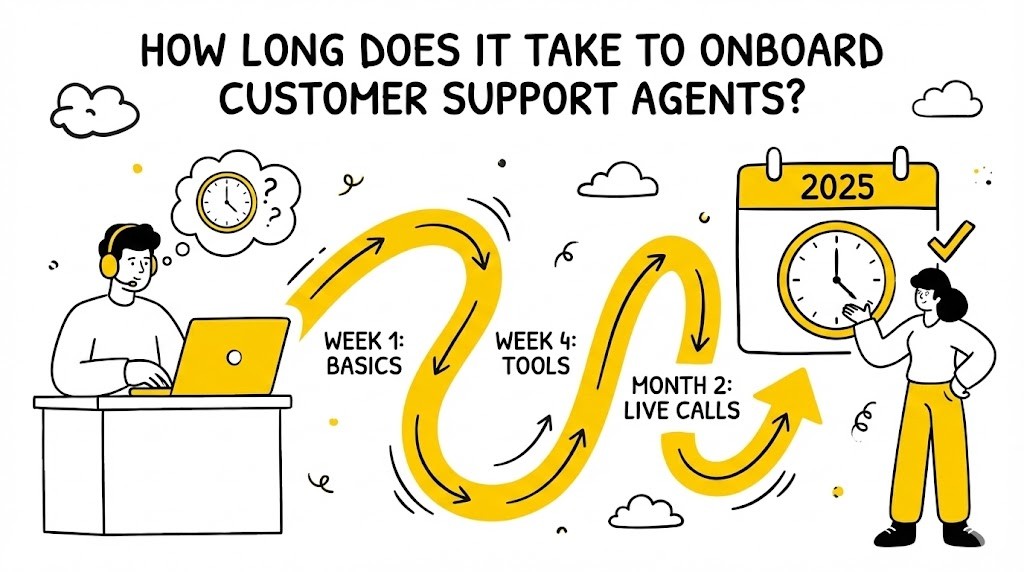
How Long Does It Take to Onboard Customer Support Agents? (2025)
/ / / / / / / /
Onboarding customer support agents efficiently is crucial for delivering consistent, high-quality service and maintaining customer satisfaction. The time it takes to onboard new agents directly impacts operational costs, team morale, and the customer experience. In 2025, as customer expectations and support technologies evolve, companies are under increasing pressure to ramp up agents quickly without sacrificing quality or compliance.
This article explores the typical onboarding timeline for customer support agents, industry benchmarks, the key stages of onboarding, factors that influence duration, best practices for acceleration, and how to measure success. Whether you’re scaling a BPO, running an in-house team, or adapting to remote onboarding, you’ll find actionable frameworks and checklists to streamline your process.
TL;DR: Customer Support Agent Onboarding in 2025
• Most agents are fully onboarded in 2–6 weeks, but timelines vary by company size, product complexity, and support channel.
• Key onboarding stages: preboarding, orientation, training, shadowing, assessment, and gradual ramp-up.
• Structured programs, AI-powered simulation training, and microlearning can accelerate onboarding without sacrificing quality.
• Track metrics like time to first ticket, CSAT, and QA scores to measure onboarding effectiveness.
• Continuous improvement and tailored support are essential for long-term success.
What Is Customer Support Agent Onboarding?
Customer support agent onboarding is the structured process of integrating new hires into your support team. It covers everything from administrative setup and compliance to product knowledge, tool training, and cultural immersion.
Key goals of onboarding:
• Equip agents with essential knowledge about products, services, and policies.
• Train agents on support tools (e.g., CRM, helpdesk platforms).
• Embed company values and customer-centric culture.
• Ensure compliance with legal, security, and data privacy standards.
A strong onboarding program also aims to instill confidence and autonomy, helping agents quickly progress from observation to independent handling of customer queries. By exposing new hires to actual support scenarios, hands-on practice, and teamwork principles, onboarding bridges the gap between theory and live production environments.
Effective onboarding reduces time-to-productivity, minimises errors, and improves retention (Source: Harvard Business Review, 2023: https://hbr.org/2023/05/onboarding-can-make-or-break-a-new-hires-experience).
Typical Onboarding Timeline: Industry Benchmarks
How long does it take to onboard customer support agents?
• Average duration: 2–6 weeks for most companies, with some complex environments taking up to 8 weeks (Source: Zendesk, 2024: https://www.zendesk.com/blog/onboarding-customer-service-agents/).
• Small companies (under 50 agents): 1–3 weeks, especially for chat/email support.
• Mid-sized teams (50–200 agents): 3–5 weeks, balancing product and process training.
• Large enterprises/BPOs: 4–8 weeks, often due to multiple products, compliance, and multi-channel support.
Benchmarks by support channel:
• Email/Chat: 1–3 weeks (simpler workflows, less real-time pressure).
• Phone/Voice: 3–6 weeks (requires soft skills, real-time troubleshooting).
• Omnichannel (voice, chat, social, etc.): 4–8 weeks.
A 2024 Reddit MSP thread found most respondents onboard agents in 2–4 weeks, but some cited up to 8 weeks for complex IT or regulated industries (Source: Reddit, 2024: https://www.reddit.com/r/msp/comments/1fw1v0e/how_long_does_it_usually_take_you_to_onboard/).
Industry snapshot:
• Tech/SaaS: 2–4 weeks (Source: Intercom, 2024: https://www.intercom.com/blog/onboarding-customer-support-reps/)
• E-commerce/Retail: 2–3 weeks
• Healthcare/Finance: 4–8 weeks (due to compliance and data security)
A best-in-class onboarding program may allow some agents to reach productivity milestones more quickly when supported by robust training materials, scenario-driven practice, and focused coaching. However, regulated industries or environments with highly technical products can expect longer cycles, which can be mitigated by investing in continuous learning and on-the-job reinforcement.
Key Stages of Customer Support Agent Onboarding
A robust onboarding program follows a clear sequence. Here’s a breakdown of each stage:
Preboarding (before day one)
• Complete paperwork, background checks, and contracts.
• Set up IT accounts, email, and access to support tools.
• Share welcome materials and onboarding schedule.
Proactive preboarding eliminates Day 1 friction and allows agents to arrive prepared and motivated. Some BPOs deliver digital handbooks or video greetings, helping agents visualize their role before formal orientation.
Orientation and Company Culture
• Introduce company mission, values, and customer promise.
• Overview of team structure and key contacts.
• Share success stories and customer impact examples.
High-performing onboarding goes beyond policy overviews—embedding culture through leadership introductions, shadowing, and stories of excellent service.
Product and Process Training
• Deep dive into products/services, features, and common issues.
• Explain support policies, escalation paths, and SLAs.
• Use scenario-based learning for real-world context.
Tailor the training depth based on the agent’s role. For example, support teams for regulated products may require detailed process walkthroughs and compliance training modules.
Tools and Technology Training
• Hands-on training with CRM, helpdesk, and knowledge base.
• Practice using macros, templates, and ticketing workflows.
• Introduce communication tools (chat, email, phone systems).
Practical exposure is critical: allow new hires to practice in sandbox environments, resolve mock tickets, and complete tool navigation challenges.
Shadowing and Live Practice
• Observe experienced agents handling real customer interactions.
• Participate in supervised calls, chats, or emails.
• Use simulation training (e.g., AI-powered roleplays) for safe practice.
Combining real interactions with AI simulation platforms like Smart Role exposes new agents to diverse scenarios while building muscle memory—crucial for high-volume or escalation-prone queues.
Assessment and Certification
• Conduct quizzes and knowledge checks.
• Roleplay customer scenarios and receive feedback.
• Complete quality assurance (QA) reviews before handling live tickets.
Objective pass/fail checkpoints ensure confidence and alignment before agents go live, while regular feedback boosts skill development.
Gradual Ramp-Up and Ongoing Support
• Start with a reduced ticket volume or simpler queries.
• Assign a mentor or buddy for guidance.
• Schedule regular check-ins and feedback sessions.
Gradual exposure allows for fast learning while protecting customer experience. Mentorship provides a go-to resource as new hires face real-world challenges.
Copyable Checklist: Onboarding Stages
1) Preboarding complete (IT, paperwork, welcome pack)
2) Orientation attended (mission, values, team intro)
3) Product/process training finished (knowledge checks passed)
4) Tools training completed (hands-on practice)
5) Shadowing and simulation exercises done
6) Assessment/certification achieved
7) Gradual ramp-up with ongoing support
Factors Influencing Onboarding Duration
Several variables impact how long it takes to onboard a customer support agent:
• Product/service complexity: More features or technical depth require longer training.
• Support channel: Voice support demands more soft skills and real-time troubleshooting.
• Agent experience: Seasoned agents ramp up faster than those new to customer support.
• Training resources: Access to a learning management system (LMS), AI-driven simulations, and microlearning can accelerate onboarding (Source: McKinsey, 2024: https://www.mckinsey.com/capabilities/operations/our-insights/how-to-improve-customer-service-onboarding).
• Company size/process maturity: Mature organisations with structured programs onboard faster.
• Remote vs. in-person: Remote onboarding may require extra time for tech setup and engagement.
Examples of high-impact accelerators include AI-driven simulation scenarios for nuanced products or workflow automation that reduces manual tasks for trainers and learners alike.
Framework: Factors Impacting Onboarding Speed
• Product Complexity: Slows down — High; Speeds up — Low
• Support Channel: Slows down — Voice/Omnichannel; Speeds up — Chat/Email
• Agent Experience: Slows down — New to support; Speeds up — Experienced
• Training Resources: Slows down — Manual, unstructured; Speeds up — AI, LMS, microlearning
• Company Size/Maturity: Slows down — Large, fragmented; Speeds up — Small, structured
• Onboarding Mode: Slows down — Remote (if unplanned); Speeds up — In-person or well-supported
When assessing onboarding duration, consider using a readiness matrix to map agent profiles (experience, background, language skills) against channel and product complexity. This holistic view helps BPOs forecast ramp-up and resource needs at scale.
Best Practices to Accelerate and Improve Onboarding
1. Structured onboarding programs
• Use a standardised curriculum and clear milestones.
• Provide checklists and progress tracking.
• Set clear expectations around Day 1, Week 1, and go-live readiness.
2. AI and automation for training
• Leverage AI-powered simulation training for realistic practice (e.g., Smart Role’s scenario-based modules).
• Automate repetitive knowledge checks and feedback.
• Use automated roleplays for difficult scenarios (e.g., complaints, regulatory disclosures).
3. Microlearning and just-in-time resources
• Break training into bite-sized modules for better retention.
• Offer searchable knowledge bases and quick-reference guides.
• Embed short videos, flashcards, or micro-assessments in your LMS for fast reinforcement.
4. Peer mentoring and buddy systems
• Pair new agents with experienced mentors for support.
• Encourage shadowing and regular check-ins.
• Schedule weekly retro sessions for new hires to raise blockers and share insights.
5. Continuous feedback and performance tracking
• Use QA automation to review early interactions and provide targeted coaching.
• Set up regular feedback loops to address gaps quickly.
• Incorporate self-evaluations for agents to reflect on their learning journey.
6. Knowledge base and self-serve resources
• Maintain up-to-date documentation and FAQs.
• Encourage agents to contribute to and use the knowledge base.
• Highlight top 10 tickets or common scenarios for faster troubleshooting.
Copyable Checklist: Accelerated Onboarding Essentials
• Structured onboarding plan with milestones
• Simulation training (AI or live roleplay)
• Microlearning modules and quick guides
• Assigned mentor or buddy
• Automated QA and feedback
• Access to knowledge base
Practical Tip: Pilot your onboarding program with a small agent cohort, collect survey feedback, and iterate based on real outcomes before a broader rollout.
Measuring Onboarding Success and Reducing Time-to-Productivity
Key metrics to track:
• Time to first ticket: How quickly agents handle their first customer interaction.
• Time to full productivity: When agents reach target ticket volume or quality.
• CSAT (Customer Satisfaction) scores: Early feedback from customers.
• Error rates: Frequency of mistakes or escalations.
• QA scores: Quality assurance reviews of agent interactions.
How to optimise onboarding effectiveness:
• Set clear, measurable goals for each onboarding stage.
• Use dashboards to monitor progress and flag issues.
• Regularly review onboarding outcomes and iterate based on feedback.
Practical Steps:
1) Define a fully ramped agent profile (skills, speed, QA thresholds).
2) Automate report generation on onboarding KPIs.
3) Hold calibration sessions with team leads to align on quality and productivity targets.
4) Solicit feedback from both new agents (on clarity, pace of onboarding) and trainers (on barriers or confusion).
5) Adjust training materials as product features, policies, or workflows evolve.
Example:
A leading SaaS company reduced onboarding time from 6 to 3 weeks by introducing AI-powered simulation training and automated QA reviews, resulting in a 15% faster time-to-productivity and higher early CSAT scores (Source: Zendesk, 2024: https://www.zendesk.com/blog/onboarding-customer-service-agents/).
Common Onboarding Challenges and How to Overcome Them
1. Information overload
• Solution: Use microlearning and staggered content delivery. Develop day-by-day learning paths rather than single-day content drops, and use quizzes or games to reinforce recall.
2. Remote onboarding hurdles
• Solution: Provide clear digital onboarding paths, regular video check-ins, and virtual mentoring. Use collaborative tools (Slack, Teams) for real-time support and host virtual coffee breaks to build team bonds.
3. Retaining knowledge
• Solution: Reinforce learning with scenario-based practice and quick-reference materials. Schedule knowledge refreshers after 30/60 days and run interactive Q&A sessions.
4. Ensuring consistency across teams
• Solution: Standardise onboarding materials and use automated assessments. Implement templates for answering tickets and leverage QA rubrics to ensure alignment across managers and trainers.
Setting Realistic Expectations and Continuous Improvement
Onboarding customer support agents typically takes 2–6 weeks, but timelines vary based on product complexity, support channels, and available resources. Setting clear goals, leveraging technology like AI-driven simulation training, and providing continuous feedback are key to accelerating ramp-up without sacrificing quality.
Optimize by frequently reviewing agent performance, updating training for new products or policies, and enabling agents to ask questions openly. Remember: onboarding is not a one-off event but an ongoing process. Regularly review and refine your approach to keep pace with changing customer needs and support technologies.
FAQ
How long does it take to fully onboard a customer support agent?
Most agents are fully onboarded in 2–6 weeks, depending on company size, product complexity, and support channels (Source: Zendesk, 2024).
What are the fastest ways to ramp up new agents?
Structured onboarding, microlearning, peer mentoring, and leveraging AI-powered simulation training can significantly accelerate ramp-up.
How can onboarding be adapted for remote customer support teams?
Use digital onboarding platforms, video training, and regular check-ins to keep remote agents engaged and supported.
What metrics should I use to track onboarding success?
Track time to first ticket, CSAT, error rates, and QA scores to measure onboarding effectiveness.
About the author
Thibaut Martin is the COO at Smart Role, specialising in AI-driven training for support teams and BPOs. With prior leadership roles at Google and Otrium, Thibaut brings over a decade of expertise in customer experience, onboarding, and operational excellence. He is passionate about leveraging technology to accelerate agent productivity and deliver world-class customer support. Smart Role is SOC 2 Type 2 and ISO certified, ensuring the highest standards of data security and compliance.
Sources
1) Zendesk: How to onboard customer service agents – https://www.zendesk.com/blog/onboarding-customer-service-agents/
2) Gartner: Customer Service Onboarding Best Practices – https://www.gartner.com/en/insights/customer-service
3) HubSpot: Customer Service Training: How to Do It Right – https://blog.hubspot.com/service/customer-service-training
4) Freshdesk: The Ultimate Guide to Agent Onboarding – https://freshdesk.com/customer-support/customer-service-agent-onboarding-blog/
5) Harvard Business Review: Onboarding Can Make or Break a New Hire’s Experience – https://hbr.org/2023/05/onboarding-can-make-or-break-a-new-hires-experience
6) Reddit: How long does it usually take you to onboard? (MSP thread) – https://www.reddit.com/r/msp/comments/1fw1v0e/how_long_does_it_usually_take_you_to_onboard/
7) Forbes: 13 Ways To Improve The Onboarding Process For New Employees – https://www.forbes.com/sites/forbeshumanresourcescouncil/2022/09/02/13-ways-to-improve-the-onboarding-process-for-new-employees/
8) McKinsey: How to improve customer service onboarding – https://www.mckinsey.com/capabilities/operations/our-insights/how-to-improve-customer-service-onboarding
9) Society for Human Resource Management (SHRM): Onboarding New Employees – https://www.shrm.org/resourcesandtools/tools-and-samples/toolkits/pages/onboardingnewemployees.aspx
10) Intercom: How to onboard new customer support reps – https://www.intercom.com/blog/onboarding-customer-support-reps/
Onboarding customer support agents efficiently is crucial for delivering consistent, high-quality service and maintaining customer satisfaction. The time it takes to onboard new agents directly impacts operational costs, team morale, and the customer experience. In 2025, as customer expectations and support technologies evolve, companies are under increasing pressure to ramp up agents quickly without sacrificing quality or compliance.
This article explores the typical onboarding timeline for customer support agents, industry benchmarks, the key stages of onboarding, factors that influence duration, best practices for acceleration, and how to measure success. Whether you’re scaling a BPO, running an in-house team, or adapting to remote onboarding, you’ll find actionable frameworks and checklists to streamline your process.
TL;DR: Customer Support Agent Onboarding in 2025
• Most agents are fully onboarded in 2–6 weeks, but timelines vary by company size, product complexity, and support channel.
• Key onboarding stages: preboarding, orientation, training, shadowing, assessment, and gradual ramp-up.
• Structured programs, AI-powered simulation training, and microlearning can accelerate onboarding without sacrificing quality.
• Track metrics like time to first ticket, CSAT, and QA scores to measure onboarding effectiveness.
• Continuous improvement and tailored support are essential for long-term success.
What Is Customer Support Agent Onboarding?
Customer support agent onboarding is the structured process of integrating new hires into your support team. It covers everything from administrative setup and compliance to product knowledge, tool training, and cultural immersion.
Key goals of onboarding:
• Equip agents with essential knowledge about products, services, and policies.
• Train agents on support tools (e.g., CRM, helpdesk platforms).
• Embed company values and customer-centric culture.
• Ensure compliance with legal, security, and data privacy standards.
A strong onboarding program also aims to instill confidence and autonomy, helping agents quickly progress from observation to independent handling of customer queries. By exposing new hires to actual support scenarios, hands-on practice, and teamwork principles, onboarding bridges the gap between theory and live production environments.
Effective onboarding reduces time-to-productivity, minimises errors, and improves retention (Source: Harvard Business Review, 2023: https://hbr.org/2023/05/onboarding-can-make-or-break-a-new-hires-experience).
Typical Onboarding Timeline: Industry Benchmarks
How long does it take to onboard customer support agents?
• Average duration: 2–6 weeks for most companies, with some complex environments taking up to 8 weeks (Source: Zendesk, 2024: https://www.zendesk.com/blog/onboarding-customer-service-agents/).
• Small companies (under 50 agents): 1–3 weeks, especially for chat/email support.
• Mid-sized teams (50–200 agents): 3–5 weeks, balancing product and process training.
• Large enterprises/BPOs: 4–8 weeks, often due to multiple products, compliance, and multi-channel support.
Benchmarks by support channel:
• Email/Chat: 1–3 weeks (simpler workflows, less real-time pressure).
• Phone/Voice: 3–6 weeks (requires soft skills, real-time troubleshooting).
• Omnichannel (voice, chat, social, etc.): 4–8 weeks.
A 2024 Reddit MSP thread found most respondents onboard agents in 2–4 weeks, but some cited up to 8 weeks for complex IT or regulated industries (Source: Reddit, 2024: https://www.reddit.com/r/msp/comments/1fw1v0e/how_long_does_it_usually_take_you_to_onboard/).
Industry snapshot:
• Tech/SaaS: 2–4 weeks (Source: Intercom, 2024: https://www.intercom.com/blog/onboarding-customer-support-reps/)
• E-commerce/Retail: 2–3 weeks
• Healthcare/Finance: 4–8 weeks (due to compliance and data security)
A best-in-class onboarding program may allow some agents to reach productivity milestones more quickly when supported by robust training materials, scenario-driven practice, and focused coaching. However, regulated industries or environments with highly technical products can expect longer cycles, which can be mitigated by investing in continuous learning and on-the-job reinforcement.
Key Stages of Customer Support Agent Onboarding
A robust onboarding program follows a clear sequence. Here’s a breakdown of each stage:
Preboarding (before day one)
• Complete paperwork, background checks, and contracts.
• Set up IT accounts, email, and access to support tools.
• Share welcome materials and onboarding schedule.
Proactive preboarding eliminates Day 1 friction and allows agents to arrive prepared and motivated. Some BPOs deliver digital handbooks or video greetings, helping agents visualize their role before formal orientation.
Orientation and Company Culture
• Introduce company mission, values, and customer promise.
• Overview of team structure and key contacts.
• Share success stories and customer impact examples.
High-performing onboarding goes beyond policy overviews—embedding culture through leadership introductions, shadowing, and stories of excellent service.
Product and Process Training
• Deep dive into products/services, features, and common issues.
• Explain support policies, escalation paths, and SLAs.
• Use scenario-based learning for real-world context.
Tailor the training depth based on the agent’s role. For example, support teams for regulated products may require detailed process walkthroughs and compliance training modules.
Tools and Technology Training
• Hands-on training with CRM, helpdesk, and knowledge base.
• Practice using macros, templates, and ticketing workflows.
• Introduce communication tools (chat, email, phone systems).
Practical exposure is critical: allow new hires to practice in sandbox environments, resolve mock tickets, and complete tool navigation challenges.
Shadowing and Live Practice
• Observe experienced agents handling real customer interactions.
• Participate in supervised calls, chats, or emails.
• Use simulation training (e.g., AI-powered roleplays) for safe practice.
Combining real interactions with AI simulation platforms like Smart Role exposes new agents to diverse scenarios while building muscle memory—crucial for high-volume or escalation-prone queues.
Assessment and Certification
• Conduct quizzes and knowledge checks.
• Roleplay customer scenarios and receive feedback.
• Complete quality assurance (QA) reviews before handling live tickets.
Objective pass/fail checkpoints ensure confidence and alignment before agents go live, while regular feedback boosts skill development.
Gradual Ramp-Up and Ongoing Support
• Start with a reduced ticket volume or simpler queries.
• Assign a mentor or buddy for guidance.
• Schedule regular check-ins and feedback sessions.
Gradual exposure allows for fast learning while protecting customer experience. Mentorship provides a go-to resource as new hires face real-world challenges.
Copyable Checklist: Onboarding Stages
1) Preboarding complete (IT, paperwork, welcome pack)
2) Orientation attended (mission, values, team intro)
3) Product/process training finished (knowledge checks passed)
4) Tools training completed (hands-on practice)
5) Shadowing and simulation exercises done
6) Assessment/certification achieved
7) Gradual ramp-up with ongoing support
Factors Influencing Onboarding Duration
Several variables impact how long it takes to onboard a customer support agent:
• Product/service complexity: More features or technical depth require longer training.
• Support channel: Voice support demands more soft skills and real-time troubleshooting.
• Agent experience: Seasoned agents ramp up faster than those new to customer support.
• Training resources: Access to a learning management system (LMS), AI-driven simulations, and microlearning can accelerate onboarding (Source: McKinsey, 2024: https://www.mckinsey.com/capabilities/operations/our-insights/how-to-improve-customer-service-onboarding).
• Company size/process maturity: Mature organisations with structured programs onboard faster.
• Remote vs. in-person: Remote onboarding may require extra time for tech setup and engagement.
Examples of high-impact accelerators include AI-driven simulation scenarios for nuanced products or workflow automation that reduces manual tasks for trainers and learners alike.
Framework: Factors Impacting Onboarding Speed
• Product Complexity: Slows down — High; Speeds up — Low
• Support Channel: Slows down — Voice/Omnichannel; Speeds up — Chat/Email
• Agent Experience: Slows down — New to support; Speeds up — Experienced
• Training Resources: Slows down — Manual, unstructured; Speeds up — AI, LMS, microlearning
• Company Size/Maturity: Slows down — Large, fragmented; Speeds up — Small, structured
• Onboarding Mode: Slows down — Remote (if unplanned); Speeds up — In-person or well-supported
When assessing onboarding duration, consider using a readiness matrix to map agent profiles (experience, background, language skills) against channel and product complexity. This holistic view helps BPOs forecast ramp-up and resource needs at scale.
Best Practices to Accelerate and Improve Onboarding
1. Structured onboarding programs
• Use a standardised curriculum and clear milestones.
• Provide checklists and progress tracking.
• Set clear expectations around Day 1, Week 1, and go-live readiness.
2. AI and automation for training
• Leverage AI-powered simulation training for realistic practice (e.g., Smart Role’s scenario-based modules).
• Automate repetitive knowledge checks and feedback.
• Use automated roleplays for difficult scenarios (e.g., complaints, regulatory disclosures).
3. Microlearning and just-in-time resources
• Break training into bite-sized modules for better retention.
• Offer searchable knowledge bases and quick-reference guides.
• Embed short videos, flashcards, or micro-assessments in your LMS for fast reinforcement.
4. Peer mentoring and buddy systems
• Pair new agents with experienced mentors for support.
• Encourage shadowing and regular check-ins.
• Schedule weekly retro sessions for new hires to raise blockers and share insights.
5. Continuous feedback and performance tracking
• Use QA automation to review early interactions and provide targeted coaching.
• Set up regular feedback loops to address gaps quickly.
• Incorporate self-evaluations for agents to reflect on their learning journey.
6. Knowledge base and self-serve resources
• Maintain up-to-date documentation and FAQs.
• Encourage agents to contribute to and use the knowledge base.
• Highlight top 10 tickets or common scenarios for faster troubleshooting.
Copyable Checklist: Accelerated Onboarding Essentials
• Structured onboarding plan with milestones
• Simulation training (AI or live roleplay)
• Microlearning modules and quick guides
• Assigned mentor or buddy
• Automated QA and feedback
• Access to knowledge base
Practical Tip: Pilot your onboarding program with a small agent cohort, collect survey feedback, and iterate based on real outcomes before a broader rollout.
Measuring Onboarding Success and Reducing Time-to-Productivity
Key metrics to track:
• Time to first ticket: How quickly agents handle their first customer interaction.
• Time to full productivity: When agents reach target ticket volume or quality.
• CSAT (Customer Satisfaction) scores: Early feedback from customers.
• Error rates: Frequency of mistakes or escalations.
• QA scores: Quality assurance reviews of agent interactions.
How to optimise onboarding effectiveness:
• Set clear, measurable goals for each onboarding stage.
• Use dashboards to monitor progress and flag issues.
• Regularly review onboarding outcomes and iterate based on feedback.
Practical Steps:
1) Define a fully ramped agent profile (skills, speed, QA thresholds).
2) Automate report generation on onboarding KPIs.
3) Hold calibration sessions with team leads to align on quality and productivity targets.
4) Solicit feedback from both new agents (on clarity, pace of onboarding) and trainers (on barriers or confusion).
5) Adjust training materials as product features, policies, or workflows evolve.
Example:
A leading SaaS company reduced onboarding time from 6 to 3 weeks by introducing AI-powered simulation training and automated QA reviews, resulting in a 15% faster time-to-productivity and higher early CSAT scores (Source: Zendesk, 2024: https://www.zendesk.com/blog/onboarding-customer-service-agents/).
Common Onboarding Challenges and How to Overcome Them
1. Information overload
• Solution: Use microlearning and staggered content delivery. Develop day-by-day learning paths rather than single-day content drops, and use quizzes or games to reinforce recall.
2. Remote onboarding hurdles
• Solution: Provide clear digital onboarding paths, regular video check-ins, and virtual mentoring. Use collaborative tools (Slack, Teams) for real-time support and host virtual coffee breaks to build team bonds.
3. Retaining knowledge
• Solution: Reinforce learning with scenario-based practice and quick-reference materials. Schedule knowledge refreshers after 30/60 days and run interactive Q&A sessions.
4. Ensuring consistency across teams
• Solution: Standardise onboarding materials and use automated assessments. Implement templates for answering tickets and leverage QA rubrics to ensure alignment across managers and trainers.
Setting Realistic Expectations and Continuous Improvement
Onboarding customer support agents typically takes 2–6 weeks, but timelines vary based on product complexity, support channels, and available resources. Setting clear goals, leveraging technology like AI-driven simulation training, and providing continuous feedback are key to accelerating ramp-up without sacrificing quality.
Optimize by frequently reviewing agent performance, updating training for new products or policies, and enabling agents to ask questions openly. Remember: onboarding is not a one-off event but an ongoing process. Regularly review and refine your approach to keep pace with changing customer needs and support technologies.
FAQ
How long does it take to fully onboard a customer support agent?
Most agents are fully onboarded in 2–6 weeks, depending on company size, product complexity, and support channels (Source: Zendesk, 2024).
What are the fastest ways to ramp up new agents?
Structured onboarding, microlearning, peer mentoring, and leveraging AI-powered simulation training can significantly accelerate ramp-up.
How can onboarding be adapted for remote customer support teams?
Use digital onboarding platforms, video training, and regular check-ins to keep remote agents engaged and supported.
What metrics should I use to track onboarding success?
Track time to first ticket, CSAT, error rates, and QA scores to measure onboarding effectiveness.
About the author
Thibaut Martin is the COO at Smart Role, specialising in AI-driven training for support teams and BPOs. With prior leadership roles at Google and Otrium, Thibaut brings over a decade of expertise in customer experience, onboarding, and operational excellence. He is passionate about leveraging technology to accelerate agent productivity and deliver world-class customer support. Smart Role is SOC 2 Type 2 and ISO certified, ensuring the highest standards of data security and compliance.
Sources
1) Zendesk: How to onboard customer service agents – https://www.zendesk.com/blog/onboarding-customer-service-agents/
2) Gartner: Customer Service Onboarding Best Practices – https://www.gartner.com/en/insights/customer-service
3) HubSpot: Customer Service Training: How to Do It Right – https://blog.hubspot.com/service/customer-service-training
4) Freshdesk: The Ultimate Guide to Agent Onboarding – https://freshdesk.com/customer-support/customer-service-agent-onboarding-blog/
5) Harvard Business Review: Onboarding Can Make or Break a New Hire’s Experience – https://hbr.org/2023/05/onboarding-can-make-or-break-a-new-hires-experience
6) Reddit: How long does it usually take you to onboard? (MSP thread) – https://www.reddit.com/r/msp/comments/1fw1v0e/how_long_does_it_usually_take_you_to_onboard/
7) Forbes: 13 Ways To Improve The Onboarding Process For New Employees – https://www.forbes.com/sites/forbeshumanresourcescouncil/2022/09/02/13-ways-to-improve-the-onboarding-process-for-new-employees/
8) McKinsey: How to improve customer service onboarding – https://www.mckinsey.com/capabilities/operations/our-insights/how-to-improve-customer-service-onboarding
9) Society for Human Resource Management (SHRM): Onboarding New Employees – https://www.shrm.org/resourcesandtools/tools-and-samples/toolkits/pages/onboardingnewemployees.aspx
10) Intercom: How to onboard new customer support reps – https://www.intercom.com/blog/onboarding-customer-support-reps/
Onboarding customer support agents efficiently is crucial for delivering consistent, high-quality service and maintaining customer satisfaction. The time it takes to onboard new agents directly impacts operational costs, team morale, and the customer experience. In 2025, as customer expectations and support technologies evolve, companies are under increasing pressure to ramp up agents quickly without sacrificing quality or compliance.
This article explores the typical onboarding timeline for customer support agents, industry benchmarks, the key stages of onboarding, factors that influence duration, best practices for acceleration, and how to measure success. Whether you’re scaling a BPO, running an in-house team, or adapting to remote onboarding, you’ll find actionable frameworks and checklists to streamline your process.
TL;DR: Customer Support Agent Onboarding in 2025
• Most agents are fully onboarded in 2–6 weeks, but timelines vary by company size, product complexity, and support channel.
• Key onboarding stages: preboarding, orientation, training, shadowing, assessment, and gradual ramp-up.
• Structured programs, AI-powered simulation training, and microlearning can accelerate onboarding without sacrificing quality.
• Track metrics like time to first ticket, CSAT, and QA scores to measure onboarding effectiveness.
• Continuous improvement and tailored support are essential for long-term success.
What Is Customer Support Agent Onboarding?
Customer support agent onboarding is the structured process of integrating new hires into your support team. It covers everything from administrative setup and compliance to product knowledge, tool training, and cultural immersion.
Key goals of onboarding:
• Equip agents with essential knowledge about products, services, and policies.
• Train agents on support tools (e.g., CRM, helpdesk platforms).
• Embed company values and customer-centric culture.
• Ensure compliance with legal, security, and data privacy standards.
A strong onboarding program also aims to instill confidence and autonomy, helping agents quickly progress from observation to independent handling of customer queries. By exposing new hires to actual support scenarios, hands-on practice, and teamwork principles, onboarding bridges the gap between theory and live production environments.
Effective onboarding reduces time-to-productivity, minimises errors, and improves retention (Source: Harvard Business Review, 2023: https://hbr.org/2023/05/onboarding-can-make-or-break-a-new-hires-experience).
Typical Onboarding Timeline: Industry Benchmarks
How long does it take to onboard customer support agents?
• Average duration: 2–6 weeks for most companies, with some complex environments taking up to 8 weeks (Source: Zendesk, 2024: https://www.zendesk.com/blog/onboarding-customer-service-agents/).
• Small companies (under 50 agents): 1–3 weeks, especially for chat/email support.
• Mid-sized teams (50–200 agents): 3–5 weeks, balancing product and process training.
• Large enterprises/BPOs: 4–8 weeks, often due to multiple products, compliance, and multi-channel support.
Benchmarks by support channel:
• Email/Chat: 1–3 weeks (simpler workflows, less real-time pressure).
• Phone/Voice: 3–6 weeks (requires soft skills, real-time troubleshooting).
• Omnichannel (voice, chat, social, etc.): 4–8 weeks.
A 2024 Reddit MSP thread found most respondents onboard agents in 2–4 weeks, but some cited up to 8 weeks for complex IT or regulated industries (Source: Reddit, 2024: https://www.reddit.com/r/msp/comments/1fw1v0e/how_long_does_it_usually_take_you_to_onboard/).
Industry snapshot:
• Tech/SaaS: 2–4 weeks (Source: Intercom, 2024: https://www.intercom.com/blog/onboarding-customer-support-reps/)
• E-commerce/Retail: 2–3 weeks
• Healthcare/Finance: 4–8 weeks (due to compliance and data security)
A best-in-class onboarding program may allow some agents to reach productivity milestones more quickly when supported by robust training materials, scenario-driven practice, and focused coaching. However, regulated industries or environments with highly technical products can expect longer cycles, which can be mitigated by investing in continuous learning and on-the-job reinforcement.
Key Stages of Customer Support Agent Onboarding
A robust onboarding program follows a clear sequence. Here’s a breakdown of each stage:
Preboarding (before day one)
• Complete paperwork, background checks, and contracts.
• Set up IT accounts, email, and access to support tools.
• Share welcome materials and onboarding schedule.
Proactive preboarding eliminates Day 1 friction and allows agents to arrive prepared and motivated. Some BPOs deliver digital handbooks or video greetings, helping agents visualize their role before formal orientation.
Orientation and Company Culture
• Introduce company mission, values, and customer promise.
• Overview of team structure and key contacts.
• Share success stories and customer impact examples.
High-performing onboarding goes beyond policy overviews—embedding culture through leadership introductions, shadowing, and stories of excellent service.
Product and Process Training
• Deep dive into products/services, features, and common issues.
• Explain support policies, escalation paths, and SLAs.
• Use scenario-based learning for real-world context.
Tailor the training depth based on the agent’s role. For example, support teams for regulated products may require detailed process walkthroughs and compliance training modules.
Tools and Technology Training
• Hands-on training with CRM, helpdesk, and knowledge base.
• Practice using macros, templates, and ticketing workflows.
• Introduce communication tools (chat, email, phone systems).
Practical exposure is critical: allow new hires to practice in sandbox environments, resolve mock tickets, and complete tool navigation challenges.
Shadowing and Live Practice
• Observe experienced agents handling real customer interactions.
• Participate in supervised calls, chats, or emails.
• Use simulation training (e.g., AI-powered roleplays) for safe practice.
Combining real interactions with AI simulation platforms like Smart Role exposes new agents to diverse scenarios while building muscle memory—crucial for high-volume or escalation-prone queues.
Assessment and Certification
• Conduct quizzes and knowledge checks.
• Roleplay customer scenarios and receive feedback.
• Complete quality assurance (QA) reviews before handling live tickets.
Objective pass/fail checkpoints ensure confidence and alignment before agents go live, while regular feedback boosts skill development.
Gradual Ramp-Up and Ongoing Support
• Start with a reduced ticket volume or simpler queries.
• Assign a mentor or buddy for guidance.
• Schedule regular check-ins and feedback sessions.
Gradual exposure allows for fast learning while protecting customer experience. Mentorship provides a go-to resource as new hires face real-world challenges.
Copyable Checklist: Onboarding Stages
1) Preboarding complete (IT, paperwork, welcome pack)
2) Orientation attended (mission, values, team intro)
3) Product/process training finished (knowledge checks passed)
4) Tools training completed (hands-on practice)
5) Shadowing and simulation exercises done
6) Assessment/certification achieved
7) Gradual ramp-up with ongoing support
Factors Influencing Onboarding Duration
Several variables impact how long it takes to onboard a customer support agent:
• Product/service complexity: More features or technical depth require longer training.
• Support channel: Voice support demands more soft skills and real-time troubleshooting.
• Agent experience: Seasoned agents ramp up faster than those new to customer support.
• Training resources: Access to a learning management system (LMS), AI-driven simulations, and microlearning can accelerate onboarding (Source: McKinsey, 2024: https://www.mckinsey.com/capabilities/operations/our-insights/how-to-improve-customer-service-onboarding).
• Company size/process maturity: Mature organisations with structured programs onboard faster.
• Remote vs. in-person: Remote onboarding may require extra time for tech setup and engagement.
Examples of high-impact accelerators include AI-driven simulation scenarios for nuanced products or workflow automation that reduces manual tasks for trainers and learners alike.
Framework: Factors Impacting Onboarding Speed
• Product Complexity: Slows down — High; Speeds up — Low
• Support Channel: Slows down — Voice/Omnichannel; Speeds up — Chat/Email
• Agent Experience: Slows down — New to support; Speeds up — Experienced
• Training Resources: Slows down — Manual, unstructured; Speeds up — AI, LMS, microlearning
• Company Size/Maturity: Slows down — Large, fragmented; Speeds up — Small, structured
• Onboarding Mode: Slows down — Remote (if unplanned); Speeds up — In-person or well-supported
When assessing onboarding duration, consider using a readiness matrix to map agent profiles (experience, background, language skills) against channel and product complexity. This holistic view helps BPOs forecast ramp-up and resource needs at scale.
Best Practices to Accelerate and Improve Onboarding
1. Structured onboarding programs
• Use a standardised curriculum and clear milestones.
• Provide checklists and progress tracking.
• Set clear expectations around Day 1, Week 1, and go-live readiness.
2. AI and automation for training
• Leverage AI-powered simulation training for realistic practice (e.g., Smart Role’s scenario-based modules).
• Automate repetitive knowledge checks and feedback.
• Use automated roleplays for difficult scenarios (e.g., complaints, regulatory disclosures).
3. Microlearning and just-in-time resources
• Break training into bite-sized modules for better retention.
• Offer searchable knowledge bases and quick-reference guides.
• Embed short videos, flashcards, or micro-assessments in your LMS for fast reinforcement.
4. Peer mentoring and buddy systems
• Pair new agents with experienced mentors for support.
• Encourage shadowing and regular check-ins.
• Schedule weekly retro sessions for new hires to raise blockers and share insights.
5. Continuous feedback and performance tracking
• Use QA automation to review early interactions and provide targeted coaching.
• Set up regular feedback loops to address gaps quickly.
• Incorporate self-evaluations for agents to reflect on their learning journey.
6. Knowledge base and self-serve resources
• Maintain up-to-date documentation and FAQs.
• Encourage agents to contribute to and use the knowledge base.
• Highlight top 10 tickets or common scenarios for faster troubleshooting.
Copyable Checklist: Accelerated Onboarding Essentials
• Structured onboarding plan with milestones
• Simulation training (AI or live roleplay)
• Microlearning modules and quick guides
• Assigned mentor or buddy
• Automated QA and feedback
• Access to knowledge base
Practical Tip: Pilot your onboarding program with a small agent cohort, collect survey feedback, and iterate based on real outcomes before a broader rollout.
Measuring Onboarding Success and Reducing Time-to-Productivity
Key metrics to track:
• Time to first ticket: How quickly agents handle their first customer interaction.
• Time to full productivity: When agents reach target ticket volume or quality.
• CSAT (Customer Satisfaction) scores: Early feedback from customers.
• Error rates: Frequency of mistakes or escalations.
• QA scores: Quality assurance reviews of agent interactions.
How to optimise onboarding effectiveness:
• Set clear, measurable goals for each onboarding stage.
• Use dashboards to monitor progress and flag issues.
• Regularly review onboarding outcomes and iterate based on feedback.
Practical Steps:
1) Define a fully ramped agent profile (skills, speed, QA thresholds).
2) Automate report generation on onboarding KPIs.
3) Hold calibration sessions with team leads to align on quality and productivity targets.
4) Solicit feedback from both new agents (on clarity, pace of onboarding) and trainers (on barriers or confusion).
5) Adjust training materials as product features, policies, or workflows evolve.
Example:
A leading SaaS company reduced onboarding time from 6 to 3 weeks by introducing AI-powered simulation training and automated QA reviews, resulting in a 15% faster time-to-productivity and higher early CSAT scores (Source: Zendesk, 2024: https://www.zendesk.com/blog/onboarding-customer-service-agents/).
Common Onboarding Challenges and How to Overcome Them
1. Information overload
• Solution: Use microlearning and staggered content delivery. Develop day-by-day learning paths rather than single-day content drops, and use quizzes or games to reinforce recall.
2. Remote onboarding hurdles
• Solution: Provide clear digital onboarding paths, regular video check-ins, and virtual mentoring. Use collaborative tools (Slack, Teams) for real-time support and host virtual coffee breaks to build team bonds.
3. Retaining knowledge
• Solution: Reinforce learning with scenario-based practice and quick-reference materials. Schedule knowledge refreshers after 30/60 days and run interactive Q&A sessions.
4. Ensuring consistency across teams
• Solution: Standardise onboarding materials and use automated assessments. Implement templates for answering tickets and leverage QA rubrics to ensure alignment across managers and trainers.
Setting Realistic Expectations and Continuous Improvement
Onboarding customer support agents typically takes 2–6 weeks, but timelines vary based on product complexity, support channels, and available resources. Setting clear goals, leveraging technology like AI-driven simulation training, and providing continuous feedback are key to accelerating ramp-up without sacrificing quality.
Optimize by frequently reviewing agent performance, updating training for new products or policies, and enabling agents to ask questions openly. Remember: onboarding is not a one-off event but an ongoing process. Regularly review and refine your approach to keep pace with changing customer needs and support technologies.
FAQ
How long does it take to fully onboard a customer support agent?
Most agents are fully onboarded in 2–6 weeks, depending on company size, product complexity, and support channels (Source: Zendesk, 2024).
What are the fastest ways to ramp up new agents?
Structured onboarding, microlearning, peer mentoring, and leveraging AI-powered simulation training can significantly accelerate ramp-up.
How can onboarding be adapted for remote customer support teams?
Use digital onboarding platforms, video training, and regular check-ins to keep remote agents engaged and supported.
What metrics should I use to track onboarding success?
Track time to first ticket, CSAT, error rates, and QA scores to measure onboarding effectiveness.
About the author
Thibaut Martin is the COO at Smart Role, specialising in AI-driven training for support teams and BPOs. With prior leadership roles at Google and Otrium, Thibaut brings over a decade of expertise in customer experience, onboarding, and operational excellence. He is passionate about leveraging technology to accelerate agent productivity and deliver world-class customer support. Smart Role is SOC 2 Type 2 and ISO certified, ensuring the highest standards of data security and compliance.
Sources
1) Zendesk: How to onboard customer service agents – https://www.zendesk.com/blog/onboarding-customer-service-agents/
2) Gartner: Customer Service Onboarding Best Practices – https://www.gartner.com/en/insights/customer-service
3) HubSpot: Customer Service Training: How to Do It Right – https://blog.hubspot.com/service/customer-service-training
4) Freshdesk: The Ultimate Guide to Agent Onboarding – https://freshdesk.com/customer-support/customer-service-agent-onboarding-blog/
5) Harvard Business Review: Onboarding Can Make or Break a New Hire’s Experience – https://hbr.org/2023/05/onboarding-can-make-or-break-a-new-hires-experience
6) Reddit: How long does it usually take you to onboard? (MSP thread) – https://www.reddit.com/r/msp/comments/1fw1v0e/how_long_does_it_usually_take_you_to_onboard/
7) Forbes: 13 Ways To Improve The Onboarding Process For New Employees – https://www.forbes.com/sites/forbeshumanresourcescouncil/2022/09/02/13-ways-to-improve-the-onboarding-process-for-new-employees/
8) McKinsey: How to improve customer service onboarding – https://www.mckinsey.com/capabilities/operations/our-insights/how-to-improve-customer-service-onboarding
9) Society for Human Resource Management (SHRM): Onboarding New Employees – https://www.shrm.org/resourcesandtools/tools-and-samples/toolkits/pages/onboardingnewemployees.aspx
10) Intercom: How to onboard new customer support reps – https://www.intercom.com/blog/onboarding-customer-support-reps/
Onboarding customer support agents efficiently is crucial for delivering consistent, high-quality service and maintaining customer satisfaction. The time it takes to onboard new agents directly impacts operational costs, team morale, and the customer experience. In 2025, as customer expectations and support technologies evolve, companies are under increasing pressure to ramp up agents quickly without sacrificing quality or compliance.
This article explores the typical onboarding timeline for customer support agents, industry benchmarks, the key stages of onboarding, factors that influence duration, best practices for acceleration, and how to measure success. Whether you’re scaling a BPO, running an in-house team, or adapting to remote onboarding, you’ll find actionable frameworks and checklists to streamline your process.
TL;DR: Customer Support Agent Onboarding in 2025
• Most agents are fully onboarded in 2–6 weeks, but timelines vary by company size, product complexity, and support channel.
• Key onboarding stages: preboarding, orientation, training, shadowing, assessment, and gradual ramp-up.
• Structured programs, AI-powered simulation training, and microlearning can accelerate onboarding without sacrificing quality.
• Track metrics like time to first ticket, CSAT, and QA scores to measure onboarding effectiveness.
• Continuous improvement and tailored support are essential for long-term success.
What Is Customer Support Agent Onboarding?
Customer support agent onboarding is the structured process of integrating new hires into your support team. It covers everything from administrative setup and compliance to product knowledge, tool training, and cultural immersion.
Key goals of onboarding:
• Equip agents with essential knowledge about products, services, and policies.
• Train agents on support tools (e.g., CRM, helpdesk platforms).
• Embed company values and customer-centric culture.
• Ensure compliance with legal, security, and data privacy standards.
A strong onboarding program also aims to instill confidence and autonomy, helping agents quickly progress from observation to independent handling of customer queries. By exposing new hires to actual support scenarios, hands-on practice, and teamwork principles, onboarding bridges the gap between theory and live production environments.
Effective onboarding reduces time-to-productivity, minimises errors, and improves retention (Source: Harvard Business Review, 2023: https://hbr.org/2023/05/onboarding-can-make-or-break-a-new-hires-experience).
Typical Onboarding Timeline: Industry Benchmarks
How long does it take to onboard customer support agents?
• Average duration: 2–6 weeks for most companies, with some complex environments taking up to 8 weeks (Source: Zendesk, 2024: https://www.zendesk.com/blog/onboarding-customer-service-agents/).
• Small companies (under 50 agents): 1–3 weeks, especially for chat/email support.
• Mid-sized teams (50–200 agents): 3–5 weeks, balancing product and process training.
• Large enterprises/BPOs: 4–8 weeks, often due to multiple products, compliance, and multi-channel support.
Benchmarks by support channel:
• Email/Chat: 1–3 weeks (simpler workflows, less real-time pressure).
• Phone/Voice: 3–6 weeks (requires soft skills, real-time troubleshooting).
• Omnichannel (voice, chat, social, etc.): 4–8 weeks.
A 2024 Reddit MSP thread found most respondents onboard agents in 2–4 weeks, but some cited up to 8 weeks for complex IT or regulated industries (Source: Reddit, 2024: https://www.reddit.com/r/msp/comments/1fw1v0e/how_long_does_it_usually_take_you_to_onboard/).
Industry snapshot:
• Tech/SaaS: 2–4 weeks (Source: Intercom, 2024: https://www.intercom.com/blog/onboarding-customer-support-reps/)
• E-commerce/Retail: 2–3 weeks
• Healthcare/Finance: 4–8 weeks (due to compliance and data security)
A best-in-class onboarding program may allow some agents to reach productivity milestones more quickly when supported by robust training materials, scenario-driven practice, and focused coaching. However, regulated industries or environments with highly technical products can expect longer cycles, which can be mitigated by investing in continuous learning and on-the-job reinforcement.
Key Stages of Customer Support Agent Onboarding
A robust onboarding program follows a clear sequence. Here’s a breakdown of each stage:
Preboarding (before day one)
• Complete paperwork, background checks, and contracts.
• Set up IT accounts, email, and access to support tools.
• Share welcome materials and onboarding schedule.
Proactive preboarding eliminates Day 1 friction and allows agents to arrive prepared and motivated. Some BPOs deliver digital handbooks or video greetings, helping agents visualize their role before formal orientation.
Orientation and Company Culture
• Introduce company mission, values, and customer promise.
• Overview of team structure and key contacts.
• Share success stories and customer impact examples.
High-performing onboarding goes beyond policy overviews—embedding culture through leadership introductions, shadowing, and stories of excellent service.
Product and Process Training
• Deep dive into products/services, features, and common issues.
• Explain support policies, escalation paths, and SLAs.
• Use scenario-based learning for real-world context.
Tailor the training depth based on the agent’s role. For example, support teams for regulated products may require detailed process walkthroughs and compliance training modules.
Tools and Technology Training
• Hands-on training with CRM, helpdesk, and knowledge base.
• Practice using macros, templates, and ticketing workflows.
• Introduce communication tools (chat, email, phone systems).
Practical exposure is critical: allow new hires to practice in sandbox environments, resolve mock tickets, and complete tool navigation challenges.
Shadowing and Live Practice
• Observe experienced agents handling real customer interactions.
• Participate in supervised calls, chats, or emails.
• Use simulation training (e.g., AI-powered roleplays) for safe practice.
Combining real interactions with AI simulation platforms like Smart Role exposes new agents to diverse scenarios while building muscle memory—crucial for high-volume or escalation-prone queues.
Assessment and Certification
• Conduct quizzes and knowledge checks.
• Roleplay customer scenarios and receive feedback.
• Complete quality assurance (QA) reviews before handling live tickets.
Objective pass/fail checkpoints ensure confidence and alignment before agents go live, while regular feedback boosts skill development.
Gradual Ramp-Up and Ongoing Support
• Start with a reduced ticket volume or simpler queries.
• Assign a mentor or buddy for guidance.
• Schedule regular check-ins and feedback sessions.
Gradual exposure allows for fast learning while protecting customer experience. Mentorship provides a go-to resource as new hires face real-world challenges.
Copyable Checklist: Onboarding Stages
1) Preboarding complete (IT, paperwork, welcome pack)
2) Orientation attended (mission, values, team intro)
3) Product/process training finished (knowledge checks passed)
4) Tools training completed (hands-on practice)
5) Shadowing and simulation exercises done
6) Assessment/certification achieved
7) Gradual ramp-up with ongoing support
Factors Influencing Onboarding Duration
Several variables impact how long it takes to onboard a customer support agent:
• Product/service complexity: More features or technical depth require longer training.
• Support channel: Voice support demands more soft skills and real-time troubleshooting.
• Agent experience: Seasoned agents ramp up faster than those new to customer support.
• Training resources: Access to a learning management system (LMS), AI-driven simulations, and microlearning can accelerate onboarding (Source: McKinsey, 2024: https://www.mckinsey.com/capabilities/operations/our-insights/how-to-improve-customer-service-onboarding).
• Company size/process maturity: Mature organisations with structured programs onboard faster.
• Remote vs. in-person: Remote onboarding may require extra time for tech setup and engagement.
Examples of high-impact accelerators include AI-driven simulation scenarios for nuanced products or workflow automation that reduces manual tasks for trainers and learners alike.
Framework: Factors Impacting Onboarding Speed
• Product Complexity: Slows down — High; Speeds up — Low
• Support Channel: Slows down — Voice/Omnichannel; Speeds up — Chat/Email
• Agent Experience: Slows down — New to support; Speeds up — Experienced
• Training Resources: Slows down — Manual, unstructured; Speeds up — AI, LMS, microlearning
• Company Size/Maturity: Slows down — Large, fragmented; Speeds up — Small, structured
• Onboarding Mode: Slows down — Remote (if unplanned); Speeds up — In-person or well-supported
When assessing onboarding duration, consider using a readiness matrix to map agent profiles (experience, background, language skills) against channel and product complexity. This holistic view helps BPOs forecast ramp-up and resource needs at scale.
Best Practices to Accelerate and Improve Onboarding
1. Structured onboarding programs
• Use a standardised curriculum and clear milestones.
• Provide checklists and progress tracking.
• Set clear expectations around Day 1, Week 1, and go-live readiness.
2. AI and automation for training
• Leverage AI-powered simulation training for realistic practice (e.g., Smart Role’s scenario-based modules).
• Automate repetitive knowledge checks and feedback.
• Use automated roleplays for difficult scenarios (e.g., complaints, regulatory disclosures).
3. Microlearning and just-in-time resources
• Break training into bite-sized modules for better retention.
• Offer searchable knowledge bases and quick-reference guides.
• Embed short videos, flashcards, or micro-assessments in your LMS for fast reinforcement.
4. Peer mentoring and buddy systems
• Pair new agents with experienced mentors for support.
• Encourage shadowing and regular check-ins.
• Schedule weekly retro sessions for new hires to raise blockers and share insights.
5. Continuous feedback and performance tracking
• Use QA automation to review early interactions and provide targeted coaching.
• Set up regular feedback loops to address gaps quickly.
• Incorporate self-evaluations for agents to reflect on their learning journey.
6. Knowledge base and self-serve resources
• Maintain up-to-date documentation and FAQs.
• Encourage agents to contribute to and use the knowledge base.
• Highlight top 10 tickets or common scenarios for faster troubleshooting.
Copyable Checklist: Accelerated Onboarding Essentials
• Structured onboarding plan with milestones
• Simulation training (AI or live roleplay)
• Microlearning modules and quick guides
• Assigned mentor or buddy
• Automated QA and feedback
• Access to knowledge base
Practical Tip: Pilot your onboarding program with a small agent cohort, collect survey feedback, and iterate based on real outcomes before a broader rollout.
Measuring Onboarding Success and Reducing Time-to-Productivity
Key metrics to track:
• Time to first ticket: How quickly agents handle their first customer interaction.
• Time to full productivity: When agents reach target ticket volume or quality.
• CSAT (Customer Satisfaction) scores: Early feedback from customers.
• Error rates: Frequency of mistakes or escalations.
• QA scores: Quality assurance reviews of agent interactions.
How to optimise onboarding effectiveness:
• Set clear, measurable goals for each onboarding stage.
• Use dashboards to monitor progress and flag issues.
• Regularly review onboarding outcomes and iterate based on feedback.
Practical Steps:
1) Define a fully ramped agent profile (skills, speed, QA thresholds).
2) Automate report generation on onboarding KPIs.
3) Hold calibration sessions with team leads to align on quality and productivity targets.
4) Solicit feedback from both new agents (on clarity, pace of onboarding) and trainers (on barriers or confusion).
5) Adjust training materials as product features, policies, or workflows evolve.
Example:
A leading SaaS company reduced onboarding time from 6 to 3 weeks by introducing AI-powered simulation training and automated QA reviews, resulting in a 15% faster time-to-productivity and higher early CSAT scores (Source: Zendesk, 2024: https://www.zendesk.com/blog/onboarding-customer-service-agents/).
Common Onboarding Challenges and How to Overcome Them
1. Information overload
• Solution: Use microlearning and staggered content delivery. Develop day-by-day learning paths rather than single-day content drops, and use quizzes or games to reinforce recall.
2. Remote onboarding hurdles
• Solution: Provide clear digital onboarding paths, regular video check-ins, and virtual mentoring. Use collaborative tools (Slack, Teams) for real-time support and host virtual coffee breaks to build team bonds.
3. Retaining knowledge
• Solution: Reinforce learning with scenario-based practice and quick-reference materials. Schedule knowledge refreshers after 30/60 days and run interactive Q&A sessions.
4. Ensuring consistency across teams
• Solution: Standardise onboarding materials and use automated assessments. Implement templates for answering tickets and leverage QA rubrics to ensure alignment across managers and trainers.
Setting Realistic Expectations and Continuous Improvement
Onboarding customer support agents typically takes 2–6 weeks, but timelines vary based on product complexity, support channels, and available resources. Setting clear goals, leveraging technology like AI-driven simulation training, and providing continuous feedback are key to accelerating ramp-up without sacrificing quality.
Optimize by frequently reviewing agent performance, updating training for new products or policies, and enabling agents to ask questions openly. Remember: onboarding is not a one-off event but an ongoing process. Regularly review and refine your approach to keep pace with changing customer needs and support technologies.
FAQ
How long does it take to fully onboard a customer support agent?
Most agents are fully onboarded in 2–6 weeks, depending on company size, product complexity, and support channels (Source: Zendesk, 2024).
What are the fastest ways to ramp up new agents?
Structured onboarding, microlearning, peer mentoring, and leveraging AI-powered simulation training can significantly accelerate ramp-up.
How can onboarding be adapted for remote customer support teams?
Use digital onboarding platforms, video training, and regular check-ins to keep remote agents engaged and supported.
What metrics should I use to track onboarding success?
Track time to first ticket, CSAT, error rates, and QA scores to measure onboarding effectiveness.
About the author
Thibaut Martin is the COO at Smart Role, specialising in AI-driven training for support teams and BPOs. With prior leadership roles at Google and Otrium, Thibaut brings over a decade of expertise in customer experience, onboarding, and operational excellence. He is passionate about leveraging technology to accelerate agent productivity and deliver world-class customer support. Smart Role is SOC 2 Type 2 and ISO certified, ensuring the highest standards of data security and compliance.
Sources
1) Zendesk: How to onboard customer service agents – https://www.zendesk.com/blog/onboarding-customer-service-agents/
2) Gartner: Customer Service Onboarding Best Practices – https://www.gartner.com/en/insights/customer-service
3) HubSpot: Customer Service Training: How to Do It Right – https://blog.hubspot.com/service/customer-service-training
4) Freshdesk: The Ultimate Guide to Agent Onboarding – https://freshdesk.com/customer-support/customer-service-agent-onboarding-blog/
5) Harvard Business Review: Onboarding Can Make or Break a New Hire’s Experience – https://hbr.org/2023/05/onboarding-can-make-or-break-a-new-hires-experience
6) Reddit: How long does it usually take you to onboard? (MSP thread) – https://www.reddit.com/r/msp/comments/1fw1v0e/how_long_does_it_usually_take_you_to_onboard/
7) Forbes: 13 Ways To Improve The Onboarding Process For New Employees – https://www.forbes.com/sites/forbeshumanresourcescouncil/2022/09/02/13-ways-to-improve-the-onboarding-process-for-new-employees/
8) McKinsey: How to improve customer service onboarding – https://www.mckinsey.com/capabilities/operations/our-insights/how-to-improve-customer-service-onboarding
9) Society for Human Resource Management (SHRM): Onboarding New Employees – https://www.shrm.org/resourcesandtools/tools-and-samples/toolkits/pages/onboardingnewemployees.aspx
10) Intercom: How to onboard new customer support reps – https://www.intercom.com/blog/onboarding-customer-support-reps/
Join the Smart Role newsletter

Success in customer service is 10% knowledge and 90% how you apply it in real situations.
Join the Smart Role newsletter

Success in customer service is 10% knowledge and 90% how you apply it in real situations.
Join the Smart Role newsletter

Success in customer service is 10% knowledge and 90% how you apply it in real situations.

Smart Role is your support rep training platform for simulating customer conversations.


Smart Role is your support rep training platform for simulating customer conversations.


Smart Role is your support rep training platform for simulating customer conversations.


